Community Service Hours Tracking Form
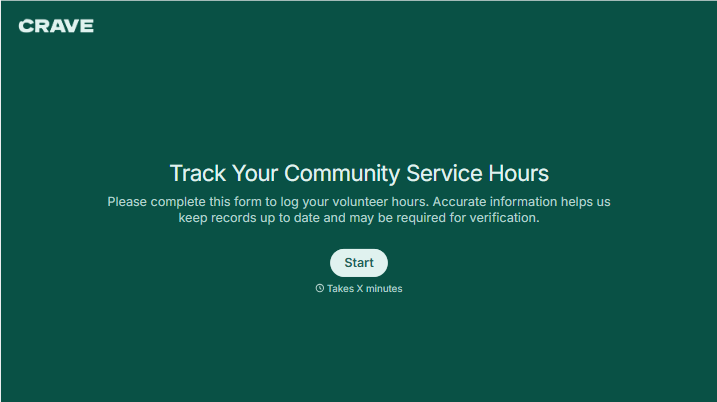
Give volunteers a clear way to record their community service. Collect dates, activities, and hours completed so coordinators can review entries and confirm participation.



A student remembers volunteering on Saturday but isn’t sure when their shift ended. Their supervisor can confirm the work, but the sign-in sheet is somewhere at the front desk. Typeform’s community service hours tracking form gives those details a place while they’re still fresh.
Volunteers identify the organization they served, describe their activities, and record the date and time spent. Include a supervisor contact and any verification your program requires. Explain how to account for breaks so people record their hours consistently.
Coordinators get entries they can review without reconstructing each shift from emails. Volunteers get a record of their contributions and a clearer view of what still needs verification. Whether the hours support a school requirement or a community program, each entry shows the work behind the total.
A community service hours tracking form records time spent volunteering for an organization or project. It typically collects the service date, activities completed, hours worked, and supervisor details. Schools, nonprofits, and program coordinators use it to document participation and review submitted hours.
Hours are harder to confirm when volunteers submit them from memory weeks later. A dedicated form encourages people to record each session consistently and provide the information needed for verification. It also helps coordinators spot incomplete entries before calculating approved totals.
Match the fields to your program’s requirements:
- Volunteer name and relevant participant identifier
- Organization or project name
- Service date
- Start and end times or total hours completed
- Break duration, where applicable
- Description of activities
- Supervisor name and contact details
- Required verification and review status
Clearly distinguish submitted hours from hours that have been reviewed and accepted.
Yes, with calculations configured. The form can calculate the length of a session from start and end times and subtract applicable breaks. To track totals across multiple submissions, connect entries to a reporting system that groups them by volunteer. Keep pending and approved hours separate so the total is easy to interpret.
Not automatically. The school or program needs to review the entry against its requirements and complete any verification. Explain which activities qualify before volunteers begin, and use the confirmation message to describe the review process. Provide a way to correct an entry if dates, hours, or supervisor details were entered incorrectly.
Get inspired by relevant templates and categories
3200+ Templates, 300+ Integrations


With Typeform, you can customize everything
Change text, colors, and even logos to match the look and feel of your brand. Then embed forms smoothly onto web and email.
Make forms feel effortless to fill out. Pace questions, call people by their name, and adapt the flow based on the data they share.
Stay efficient by connecting forms to your workflow. Typeform integrates with 300+ tools including Slack, Zapier, and HubSpot.


