Employee Information Form Template
Collect the details HR needs without making new hires feel like they're filing taxes.



Day 1 at a new job should feel exciting, not like a paperwork marathon. But HR needs a lot of information: emergency contacts, banking details, tax forms, dietary restrictions, shirt sizes for company swag. When all of that hits a new employee in a single, dense packet, important fields get missed and data quality suffers. Meanwhile, HR spends hours chasing incomplete submissions.
This employee information form template breaks the intake process into a conversational, step-by-step experience. Typeform's one-question-at-a-time format means new hires focus on one field at a time instead of scanning a cluttered page. Conditional logic skips sections that don't apply. A remote employee doesn't need parking information, and someone without dependents skips the benefits enrollment details.
Connect the form to your HRIS, payroll system, or Google Sheets through integrations so data flows directly where it needs to go. No re-keying, no chasing, no lost forms.
An employee information form is a standardized document used by HR departments to collect personal, professional, and administrative details from new hires or existing employees. It typically covers contact information, emergency contacts, tax withholding preferences, banking details for payroll, and any other data the organization needs to onboard and manage the employee effectively.
First impressions matter, and the onboarding experience is your employee's first real interaction with your company's operational culture. A clunky, confusing form signals disorganization. A clean, guided experience signals competence. Beyond impressions, a well-designed form reduces errors, ensures completeness, and saves HR hours of follow-up on missing or illegible entries.
- Full legal name, preferred name, and pronouns
- Home address and personal contact information
- Emergency contact details (at least 2 contacts)
- Social security or tax identification number
- Bank account details for direct deposit
- Start date, department, reporting manager, and work location
Sensitive data requires extra care. Typeform encrypts data in transit and at rest, but you should also limit who has access to form responses. Consider using a separate, access-controlled form specifically for highly sensitive fields like SSN and banking information, keeping it separate from general onboarding data. Communicate clearly to employees how their data will be stored and who can access it.
Life changes. People move, get married, change banks. While Typeform responses are submitted once, you can create a separate "update my information" form that employees can access anytime. Use hidden fields to pre-populate known information, making the update process quick. Connect updates to the same HRIS or spreadsheet through integrations to keep your records current without manual intervention.
Get inspired by relevant templates and categories
3200+ Templates, 300+ Integrations


Work From Home Request Form
A Slack message asking to work from home on Thursday isn't a request anyone can track, especially once the same employee has asked five different ways over a month. Collect the request type, dates or schedule, and manager approval in one place, so HR isn't reconstructing who's working where from a scattered inbox.
View template

Return of Property Form
A property checklist stapled to an exit interview packet isn't a record anyone can rely on when a laptop turns up missing three weeks later. Collect itemized equipment details, condition at return, and a signed acknowledgment before an employee's last day, so IT isn't chasing down a laptop that already walked out the door.
View template

Early Retirement Form
A retirement mentioned to a manager in conversation doesn't give HR anything to actually process, and if there's an incentive deadline attached, the date that conversation happened can matter more than anyone realized at the time. Collect what your HR team actually needs, employee information, requested date, and benefit elections, before a window closes.
View template
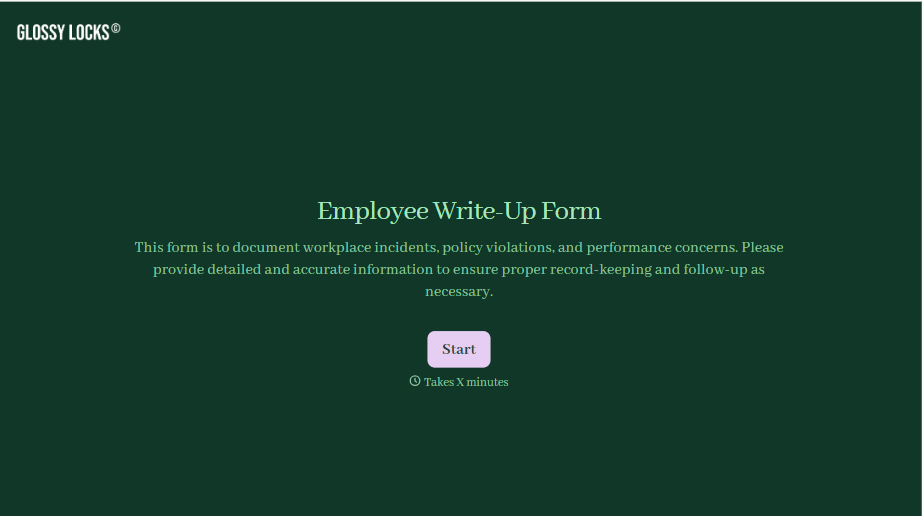
Employee Write-Up Form
A verbal warning that never makes it into a written record isn't the kind of documentation that holds up if a termination is challenged later. Collect the specific incident, policy violated, and corrective action while it's fresh, so a pattern of issues doesn't go undocumented until it's too late to matter.
View template
With Typeform, you can customize everything
Change text, colors, and even logos to match the look and feel of your brand. Then embed forms smoothly onto web and email.
Make forms feel effortless to fill out. Pace questions, call people by their name, and adapt the flow based on the data they share.
Stay efficient by connecting forms to your workflow. Typeform integrates with 300+ tools including Slack, Zapier, and HubSpot.


