Straight Truck Pre Trip Inspection Form
Give drivers a consistent way to document checks before a trip. Record vehicle details, observed defects, and follow-up actions so the responsible team knows what needs attention.



A driver spots a damaged mirror before leaving the yard, but the report doesn’t identify which truck needs repair. Another notices an issue already mentioned on the previous shift and can’t tell whether it was resolved. Typeform’s straight truck pre-trip inspection form brings the vehicle, observations, and follow-up details together.
The driver identifies the truck and completes the checks required by your inspection procedure. Include clear response options for each item, with space to describe defects and attach photos where useful. Distinguish completed checks from items that weren’t inspected so an incomplete record doesn’t look like a satisfactory result.
Fleet staff get a record they can review and route for attention. Drivers get a clear way to report concerns and see what needs follow-up. Match the checklist to the vehicle and your operating requirements, with a defined process for handling defects before departure.
A straight truck pre-trip inspection form documents vehicle checks performed before a trip. It identifies the truck, records the driver’s observations, and captures defects or items needing attention. Fleet teams use it to support their inspection and maintenance processes.
A verbal report can leave out the vehicle number, the location of a defect, or whether anyone followed up. A dedicated form collects those details consistently. It also helps drivers and maintenance staff distinguish a newly reported issue from one already addressed.
Build the checklist around your vehicle and required inspection procedure:
- Inspection date, time, and location
- Driver name and vehicle identifier
- Odometer reading, where required
- Checks covering relevant vehicle systems and equipment
- Clear results for each inspection item
- Defect descriptions and supporting photos
- Who was notified and when
- Follow-up actions and required sign-off
Have the responsible fleet or safety team review the checklist before use. A generic template may not cover every item your operation needs.
Arrange questions in the order drivers follow during the inspection. Use specific item labels and consistent response options, with additional fields appearing when a defect is reported. Keep the vehicle identifier attached to the record and provide a way to explain why a check couldn’t be completed.
No. Submission records the inspection results; it doesn’t automatically resolve defects or authorize departure. Follow your operation’s process for assessing reported issues and determining the next step. The confirmation message should explain how concerns are escalated rather than automatically marking the vehicle ready.
Get inspired by relevant templates and categories
3200+ Templates, 300+ Integrations


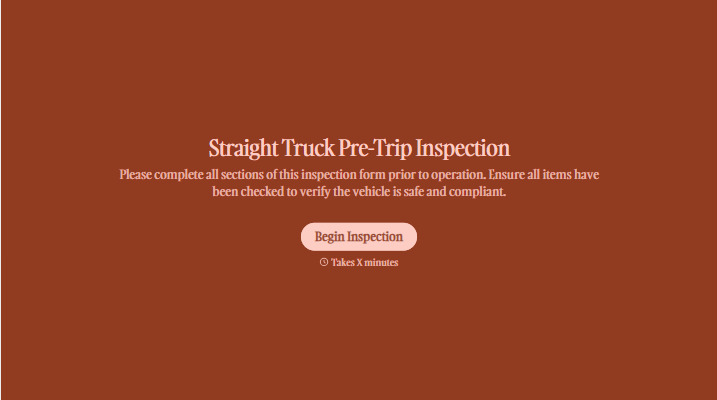
With Typeform, you can customize everything
Change text, colors, and even logos to match the look and feel of your brand. Then embed forms smoothly onto web and email.
Make forms feel effortless to fill out. Pace questions, call people by their name, and adapt the flow based on the data they share.
Stay efficient by connecting forms to your workflow. Typeform integrates with 300+ tools including Slack, Zapier, and HubSpot.


