Hired and Non Owned Auto Application Form
Give businesses a clear way to describe their use of rented and employee-owned vehicles. Collect vehicle-use details, driver information, and supporting records so the insurance team can review the application.



Employees use their own cars to visit clients. A manager rents a vehicle for a business trip. Those journeys may not appear on a company vehicle list, but they’re still part of how the business operates. Typeform’s hired and non owned auto application form gives applicants a place to explain that use.
The applicant describes the business, identifies who drives for work, and explains how often vehicles are rented, borrowed, or used by employees for business purposes. Include questions about driving activities, existing insurance, and relevant loss history that match the receiving insurance team’s requirements. Leave room to explain arrangements that don’t fit a checkbox.
The insurance team gets a consistent submission to assess. Applicants get a clearer picture of the information they need to provide, with fewer details left scattered across emails. Explain who will review the application and how requests for additional information will be handled.
A hired and non owned auto application form collects information from a business seeking insurance related to its use of vehicles it doesn’t own. It asks about activities such as renting vehicles or having employees drive their own cars for business. The receiving insurance team uses the answers to assess the request.
A company-owned vehicle list won’t capture every way a business uses vehicles. A dedicated form prompts applicants to describe rental arrangements and work-related use of personal vehicles. It also helps reviewers identify missing information before moving the application forward.
Match the fields to the receiving insurance team’s requirements:
- Business name, address, and contact details
- Description of operations
- Reasons vehicles are used for business
- Frequency and extent of rented or borrowed vehicle use
- Number of employees using personal vehicles for work
- Driver eligibility and vehicle-use procedures
- Relevant insurance and loss history
- Requested coverage dates and required declarations
Define the vehicle-use categories clearly so applicants know where to record each activity.
Separate questions about hired vehicles from questions about employee-owned vehicles. Use examples of business activities to clarify what you’re asking, and specify the reporting period for figures such as rental costs or driver counts. Allow applicants to flag estimates and explain unusual arrangements instead of forcing an inaccurate answer.
No. Submission provides information for review; it doesn’t confirm that coverage is active. Use the confirmation message to explain the next steps and who will contact the applicant. Coverage details and effective dates should be confirmed separately through the receiving insurance team’s process.
Get inspired by relevant templates and categories
3200+ Templates, 300+ Integrations

Volunteer Application Form for Non Profit Form
Give nonprofit organizations a great way to recruit volunteers with a form that collects applicant information, skills, and availability. Keep applications organized so your team can evaluate candidates, coordinate opportunities, and connect volunteers with meaningful roles that support your organization's mission.
View template

Christmas Market Stallholder Application Form
Give vendors a straightforward way to apply for Christmas market stalls with a form that collects business information, product details, and space requirements. Keep applications organized so event coordinators can review vendors, assign stalls, and prepare for a successful holiday market.
View template
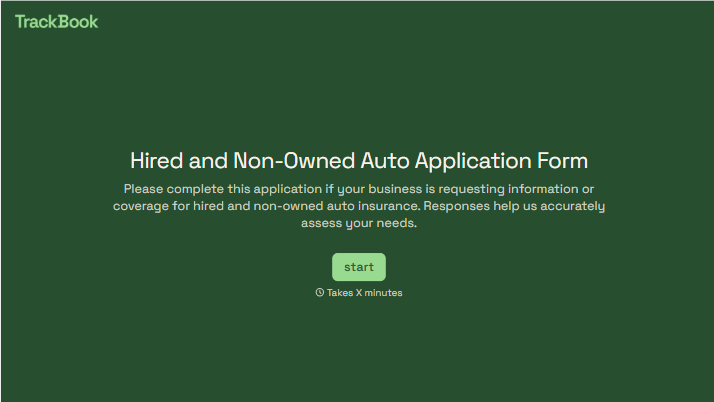
With Typeform, you can customize everything
Change text, colors, and even logos to match the look and feel of your brand. Then embed forms smoothly onto web and email.
Make forms feel effortless to fill out. Pace questions, call people by their name, and adapt the flow based on the data they share.
Stay efficient by connecting forms to your workflow. Typeform integrates with 300+ tools including Slack, Zapier, and HubSpot.


