Movie Review Form Template
Collect structured movie reviews from your audience, critics, or community members in a consistent format.



If you're running a film club, a review aggregation site, a student film program, or any platform that collects movie opinions, unstructured submissions create a lot of cleanup work. Reviews come in at different lengths, covering different aspects, with different rating scales, making them hard to aggregate or compare.
A standardized movie review form collects the same information from every reviewer: film title, rating, key dimensions of the experience (story, acting, direction, visuals), and a written review. Typeform's conversational format keeps reviewers engaged through the full submission rather than dropping off after the rating. Conditional logic can show genre-specific questions or adapt the depth of the form based on whether you want a quick reaction or a detailed critique.
Add your platform's branding, customize the rating criteria for your audience, and connect submissions to a database or publishing tool to streamline your review pipeline.
It's a structured submission form that collects standardized ratings and written assessments of films from reviewers. It's used by film clubs, review sites, student programs, and community platforms to gather consistent feedback that can be aggregated and compared.
Open-ended submissions make it hard to aggregate opinions across many reviewers. A structured form with consistent rating scales and dimensions lets you calculate average scores, identify trends, and present comparative reviews without cleaning up inconsistent data.
A thorough movie review form balances quantitative ratings with qualitative commentary. Consider including:
- Film title, director, and year of release
- Overall rating (numeric scale or stars)
- Ratings for specific dimensions (story/plot, performances, direction, cinematography, score)
- Strengths of the film
- Weaknesses or criticisms
- Who the reviewer would recommend the film to
Connect your Typeform to Google Sheets or Airtable. Each submission populates a row, and you can use spreadsheet formulas or database rollups to calculate average ratings across all reviewers for each film. For a more automated approach, tools like Zapier can trigger score calculations and update a public-facing dashboard.
Yes. Add a question to identify which screening or festival block the reviewer attended and use that to filter responses by program. You can also add a field for the reviewer's name and affiliation if you're collecting reviews from credentialed critics or jurors alongside general audience scores.
Get inspired by relevant templates and categories
3200+ Templates, 300+ Integrations
Travel Feedback Form
A quick "so, how was the trip?" when someone's back in the office doesn't tell your travel team which hotel to stop booking or which flight change actually caused the headache. Collect what your team actually needs, trip details, what worked, and what didn't, once the traveler's had a minute to think about it.
View template
Library Feedback Form
A comment card dropped in a suggestion box isn't a channel your staff can act on quickly, especially when nobody can tell if it's about a broken chair or a request for more audiobooks. Collect the specific feedback, which branch and department it concerns, and a way to follow up before the card gets buried under next week's stack.
View template

Travel Agency Feedback Form
A generic satisfaction survey emailed three weeks after a trip isn't the kind of feedback an agency can act on, especially once the specifics of a rough hotel transfer have faded. Collect feedback on the specific parts of a trip while it's still fresh, so a complaint that needs immediate follow-up doesn't sit behind a stack of routine responses.
View template
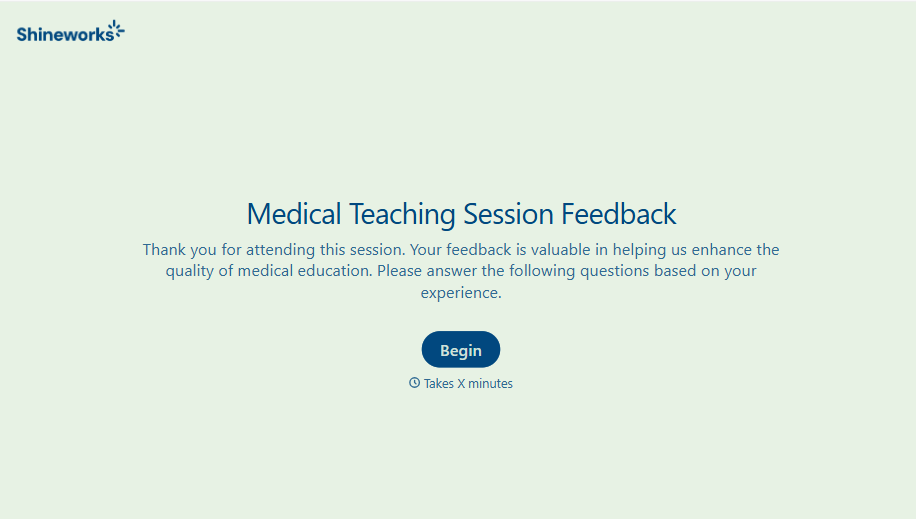
Medical Teaching Feedback Form
An evaluation handed out on the last day of a rotation, filled out in the hallway before everyone scatters, isn't the kind of feedback that helps a program improve teaching quality. Collect specific, timely feedback on teaching encounters before it fades into a generic "good rotation" comment.
View template
With Typeform, you can customize everything
Change text, colors, and even logos to match the look and feel of your brand. Then embed forms smoothly onto web and email.
Make forms feel effortless to fill out. Pace questions, call people by their name, and adapt the flow based on the data they share.
Stay efficient by connecting forms to your workflow. Typeform integrates with 300+ tools including Slack, Zapier, and HubSpot.


