Order Cancellation Form
Move past a "cancel my order" email that sits in the inbox until someone gets to it. Capture the request with the order number and reason attached, and route it to whoever can actually stop the order before it ships.



A cancellation request sent to a generic support inbox has no order number guaranteed, no reason attached, and no promise it reaches someone before the warehouse packs the box. It sits in a queue behind everything else, and by the time someone reads it, the order's already shipped or the return window has started for no reason.
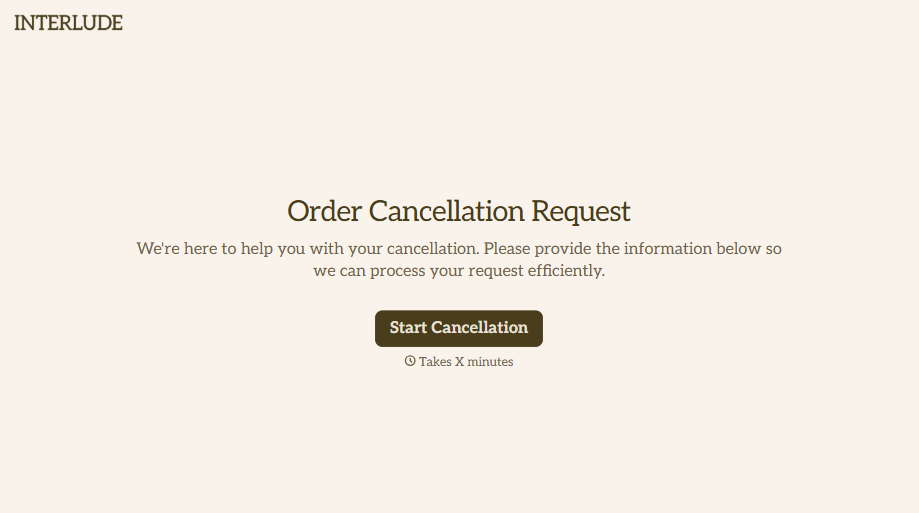
Typeform's order cancellation form uses conditional logic to ask the right follow-up questions based on why someone's canceling: a one-time purchase they no longer want, a subscription they're ending, an order placed by mistake. It collects the order number, the email or name used to buy, and the date of purchase up front, so whoever handles cancellations has what they need without a follow-up email just to get the order number.
Connect it to Slack or your team's inbox and every request lands the moment it's submitted, not whenever someone checks a shared folder. Route it into Google Sheets or Zapier and it can update your order system automatically. Either way, cancellations get caught while there's still time to act on them, and canceling isn't harder than the checkout that started the order.
An order cancellation form is where a customer requests to cancel a purchase or subscription, either before it ships or before the next billing cycle. It collects the order details and the reason for canceling so the request can be verified and acted on quickly, instead of relying on a customer describing their order correctly in an email.
A generic inbox doesn't guarantee an order number, a reason, or any priority over the rest of the support queue. A dedicated form captures the exact order and reason up front, so it can be routed straight to whoever handles fulfillment or billing instead of waiting for someone to triage it. It also gives you a record of why people actually cancel, which a scattered pile of emails doesn't.
Collect enough to verify and act on the request without a back-and-forth email first:
- Order number and date of purchase
- Name and email address used for the order
- Reason for cancellation
- Whether they'd prefer a refund, store credit, or exchange
- Space for additional details
- A confirmation that they understand any cancellation terms that apply
Not automatically, and it depends on where your customers are and what they bought. In the EU, customers get a 14-day right of withdrawal on most online purchases, and as of June 2026 an EU directive requires a dedicated, easy-to-find withdrawal button for eligible orders, not just a contact form. In the US, the FTC's "click-to-cancel" rule was vacated by the Eighth Circuit in 2025 and isn't currently in effect, but the FTC still enforces the same idea, that canceling shouldn't be harder than signing up, under existing law, and roughly 30 states have their own automatic-renewal rules. Confirm what applies to your products and customers with your own counsel.
Yes. Typeform connects to Shopify, Slack, and email, and integrates with Zapier and Google Sheets, so a submitted request can notify the right person or feed into your order and fulfillment tools instead of waiting in an inbox for someone to notice it.
Get inspired by relevant templates and categories
3200+ Templates, 300+ Integrations


With Typeform, you can customize everything
Change text, colors, and even logos to match the look and feel of your brand. Then embed forms smoothly onto web and email.
Make forms feel effortless to fill out. Pace questions, call people by their name, and adapt the flow based on the data they share.
Stay efficient by connecting forms to your workflow. Typeform integrates with 300+ tools including Slack, Zapier, and HubSpot.


