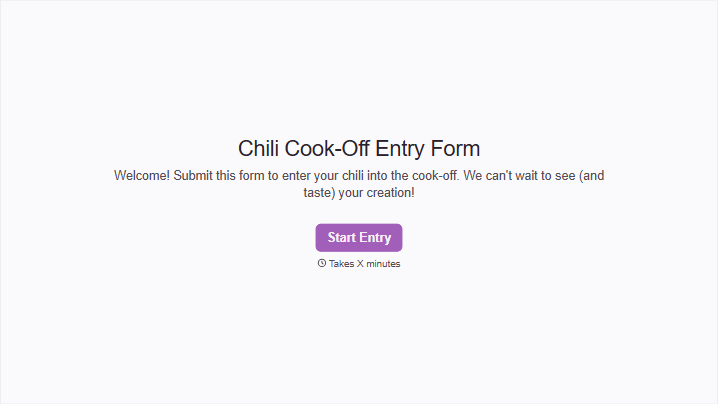
Chili Cook Off Entry Form
Give cooks a clear way to enter your chili cook off. Collect contestant details, chili categories, and setup needs so your team can prepare for tasting and judging.



One contestant is bringing a vegetarian chili. Another needs an electrical outlet. A third has signed up under a team name without leaving a contact person. Typeform’s chili cook off entry form brings those details together before the pots arrive.
Entrants provide their contact information, name their chili, and select the category they want to enter. Ask about ingredients or allergens your event needs to identify, along with equipment and serving requirements. Put entry rules, arrival times, and portion expectations upfront so cooks know what to prepare.
Organizers get a consistent entry record they can use to plan table space and judging groups. Contestants get a clear way to register and explain what they’re bringing. The event team can spend less time chasing details and more time getting the tasting underway.
A chili cook off entry form registers individuals or teams for a chili cooking competition. It typically collects contact details, the chili’s name and category, and information needed for event setup. Organizers use it to coordinate entries and communicate with contestants.
A name on a sign-up sheet won’t tell you which category someone is entering or whether they need power at their table. A dedicated form gathers those details in one place. It also gives contestants the same instructions, reducing last-minute questions about what to bring.
Match the questions to your event:
- Contestant or team name and main contact
- Chili name and competition category
- Ingredients or allergen information required by organizers
- Expected quantity or number of servings
- Equipment, table space, and electrical needs
- Agreement to event rules and judging criteria
- Entry fee details, if applicable
Explain which equipment and serving supplies the event provides so entrants can plan accordingly.
List the event date, location, entry deadline, and preparation requirements before the questions. Define each category clearly so contestants can choose the right one. Keep a full recipe optional unless it’s needed for judging, and provide a contact for setup questions that the form doesn’t cover.
Yes, if your event rules allow it. Collect a separate chili name, category, and ingredient record for each entry while keeping the team’s contact details together. Explain whether entry fees apply per team or per chili, and confirm each accepted entry so contestants know what’s registered.
Get inspired by relevant templates and categories
3200+ Templates, 300+ Integrations

Santa Claus Parade Volunteer Registration Form
Give community members a straightforward way to sign up for holiday parade volunteer opportunities with a form that collects contact information, availability, and preferred responsibilities. The registrations are organized so event coordinators can assign volunteer roles, manage schedules, and prepare for a successful Santa Claus parade.
View template

Christmas Card Design Contest Form
Give participants a simple way to enter a holiday design competition with a form that collects Christmas card artwork, contact information, and creative descriptions. Keep submissions organized so your team can review entries, evaluate designs, and select winners for your Christmas card contest.
View template


With Typeform, you can customize everything
Change text, colors, and even logos to match the look and feel of your brand. Then embed forms smoothly onto web and email.
Make forms feel effortless to fill out. Pace questions, call people by their name, and adapt the flow based on the data they share.
Stay efficient by connecting forms to your workflow. Typeform integrates with 300+ tools including Slack, Zapier, and HubSpot.


