School Absence Form
A phone call to the school office at 7:45 a.m., competing with three other parents doing the same thing, isn't a record, it's whoever answered the phone remembering to write down the right reason before the first period starts. Report an absence in writing, with a reason and an expected return date, so it's actually on file instead of relayed secondhand.



Right now, reporting a child's absence means calling the school office before the first bell, competing with everyone else whose kid is home sick that day, and hoping whoever picks up writes down the right date and the right reason. By the time a doctor's note is due, the attendance file sometimes has "called in sick, date unclear" instead of anything specific.
Typeform's school absence form collects the student's name and grade, the specific date or date range of the absence, a reason category, illness, medical appointment, family emergency, religious observance, and a notes field for anything the office should know. Conditional logic can surface a file upload for a doctor's note when the reason is medical and the absence runs several days, or when a family already had multiple absences that term, matching whatever documentation your school's policy actually requires.
Every submission lands in the same attendance record instead of a phone log written down in the middle of a busy morning. Connect it to your student information system through Zapier, and patterns, a student approaching a chronic absenteeism threshold, a family that consistently reports late, show up automatically instead of getting caught at report card time. Documentation deadlines, what counts as excused, and the specific threshold that flags chronic absenteeism vary by state and district, so build the form's logic around your own attendance policy rather than a generic one.
A school absence form is an online form parents or guardians use to notify a school of a student's absence, reporting the date, the reason, and, when required, supporting documentation, in place of a phone call to the school office.
A phone call depends on whoever answers writing down the details correctly during a busy morning, and there's no record beyond whatever got jotted on a notepad. A form timestamps the submission and keeps the exact reason and dates on file, which matters when a documentation deadline or an attendance pattern gets reviewed later.
Cover what the attendance office actually needs to process the absence correctly:
- Student name and grade or homeroom
- Specific date or date range of the absence
- Reason category, illness, appointment, family emergency, religious observance
- A notes field for anything additional the office should know
- Documentation upload, when required by the reason or duration
Not on its own. Whether an absence counts as excused usually depends on the reason matching your district's policy and documentation arriving within a required window, commonly a few school days, and that window and policy vary by state and district. The form captures the request and the details, but the attendance office still applies your school's actual policy to decide the final status.
It can surface the data, connect submissions to your student information system and patterns become visible, but the specific threshold that counts as chronic absenteeism, commonly framed around missing a set percentage of school days, and what happens once a student crosses it, is a district or state policy question, not something the form decides. Build your logic and reporting around your own policy's actual numbers.
Get inspired by relevant templates and categories
3200+ Templates, 300+ Integrations





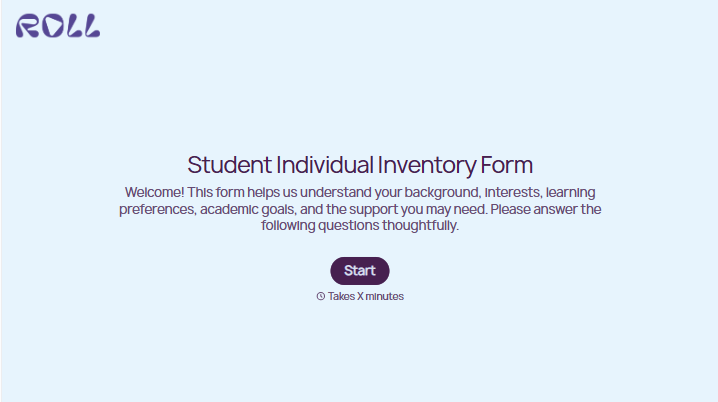
With Typeform, you can customize everything
Change text, colors, and even logos to match the look and feel of your brand. Then embed forms smoothly onto web and email.
Make forms feel effortless to fill out. Pace questions, call people by their name, and adapt the flow based on the data they share.
Stay efficient by connecting forms to your workflow. Typeform integrates with 300+ tools including Slack, Zapier, and HubSpot.


