Sworn Declaration Form Template
Collect formal written statements made under penalty of perjury. This template guides respondents through the required elements clearly and completely.



A sworn declaration carries legal weight, which means the form collecting it needs to be precise. When people try to write declarations without a structured template, they often omit required elements — the statement of truth, jurisdictional language, or specific factual assertions the document needs to hold up. That creates problems when the declaration needs to be used.
A structured form walks respondents through each required component in the correct order. Typeform's one-question-at-a-time format is particularly useful here — it prevents respondents from skipping sections and makes the process feel less daunting than a blank document. Conditional logic can adapt the form based on declaration type or jurisdiction.
Customize the form to your specific legal context, and review the output with qualified legal counsel before use in formal proceedings.
A sworn declaration is a written statement made under penalty of perjury, affirming that the contents are true and accurate to the best of the declarant's knowledge. Unlike a notarized affidavit, a sworn declaration doesn't require a notary — the declarant's signature, date, and penalty-of-perjury language serve as the legal attestation. It's used in legal proceedings, administrative processes, and formal applications.
A structured form ensures all legally required elements are present — the factual statements, the declarant's identity, and the penalty-of-perjury language. It reduces errors, guides respondents through unfamiliar legal formatting, and produces a consistent document every time. Without structure, people often miss critical components that can make a declaration invalid.
The form should collect both identifying information and the substance of the declaration. Consider including:
- Declarant's full legal name and contact information
- Relationship to the matter being declared
- Statement of facts (in numbered paragraphs, if formal)
- Any supporting documents to be incorporated by reference
- Date and location of signing
- Penalty-of-perjury certification language
- Signature field
No, though they serve similar purposes. An affidavit is a written statement sworn before a notary public or other authorized officer. A sworn declaration (sometimes called an unsworn declaration under 28 U.S.C. § 1746 in the US context) doesn't require notarization — the signer affirms the truth of the statements under penalty of perjury. Courts and agencies vary on which they accept, so confirm requirements before use.
That depends on its intended use. Many courts accept sworn declarations without notarization. However, some proceedings, institutions, or jurisdictions still require a notarized affidavit. Always verify the specific requirements of the court, agency, or institution where the document will be submitted.
Get inspired by relevant templates and categories
3200+ Templates, 300+ Integrations


Nationality Verification Form
A self-certification buried in a stack of new account paperwork isn't the kind of record a compliance team can rely on for a regulatory filing. Collect nationality, tax residency, and a signed declaration before an account opens, so compliance isn't chasing down a customer's citizenship status after the fact.
View template

Policy Cancellation Form
A cancellation requested over the phone doesn't leave a clear record of exactly what date the policyholder actually asked for, and that date matters more than it sounds like it should. Collect what your agency actually needs, policy details, identity verification, and the requested effective date, before coverage actually ends.
View template

Inheritance Beneficiary Form
Asking a grieving family member for the same banking details across three different phone calls doesn't make settling an estate go any faster. Collect what your firm actually needs, beneficiary information, identification, and distribution details, in one submission instead of three calls.
View template

Personal Training Informed Consent Form
A consent form signed in the ten seconds before a first session isn't the kind of informed agreement that holds up if something goes wrong. Walk clients through the specific risks of training and get a signed, dated acknowledgment before the first rep, so consent actually means what the word implies.
View template
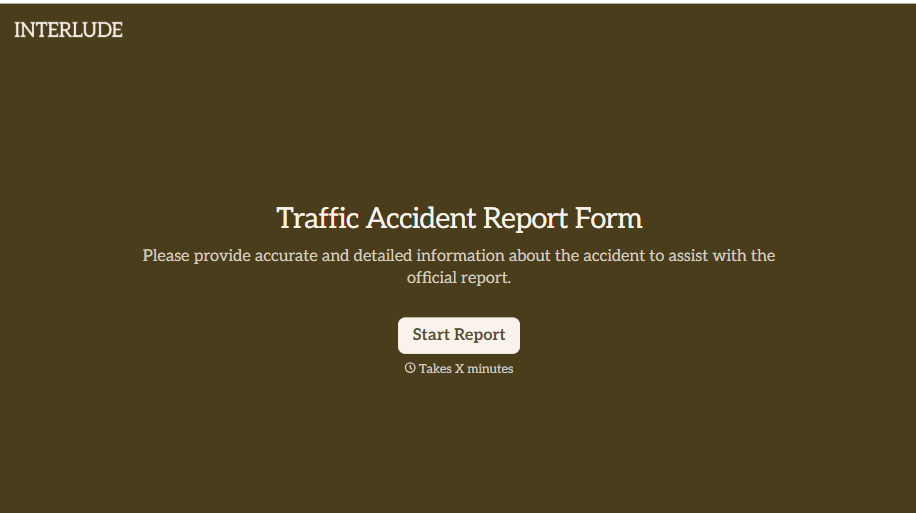
Traffic Accident Report Form
A phone call to a supervisor from the side of the road isn't the kind of record an insurance claim can be built on. Collect the accident details, the other party's information, and photos of the scene before memory starts to fade, so a claim doesn't sit unfiled for days waiting on someone to write it up.
View template
With Typeform, you can customize everything
Change text, colors, and even logos to match the look and feel of your brand. Then embed forms smoothly onto web and email.
Make forms feel effortless to fill out. Pace questions, call people by their name, and adapt the flow based on the data they share.
Stay efficient by connecting forms to your workflow. Typeform integrates with 300+ tools including Slack, Zapier, and HubSpot.


