Need real answers from the people who matter most? Learn how to create a poll that drives meaningful results with Typeform.
Share
Latest posts on
Free online trivia maker: custom trivia quizzes in minutes
|
September 4, 2026
Read more
AI survey builder: create smart surveys in minutes
|
September 4, 2026
Read more
How to make a test online: tips and tricks
Typeform
|
September 4, 2026
Read more
How to build a landing page that converts
Typeform
|
September 4, 2026
Read more
Share
Polls get real answers from the people who matter most. Because they’re short, focused, and easy to complete, surveys generate high engagement rates and fast responses. That means you can gather insights while interest is still fresh, spot trends in real time, and make informed decisions without waiting weeks for data to roll in.
Read on to learn everything you need to know about polls. Then, explore best practices to boost completion rate and get more useful responses.
What are polls and what are they used for?
Polls are short surveys that quickly generate insights about a specific group of people. Their simplicity leads to higher participation rates and faster turnaround times. Instead of collecting detailed, long-form feedback, they capture high-level learnings you can act on right away.
What are the most common types of polls?
Polls fall into two categories: benchmark polls and tracking polls. Benchmark polls measure a group’s opinion at a specific moment in time. They’re conducted just once, and establish a clear picture of where things stand right now. The results of benchmark polls help inform immediate next steps.
Tracking polls, on the other hand, measure how a group’s opinions or behaviors change over time. Instead of running once, they’re conducted at regular intervals. While individual poll reports may provide useful data, the real insights come from identifying patterns and shifts over time.
Which types of questions are used in polls?
Polls should be quick to complete and easy to interpret. They include quantitative, close-ended questions, like:
Multiple choice: Respondents choose an answer from a list of options.
Yes/no: These questions ask “Do you agree,” “Do you plan to,” or “Do you want.”
Likert scale: The Likert scale asks respondents to rate where they stand on a spectrum. For instance, “strongly agree” to “strongly disagree” or “never” to “always.”
Rating scale: Rating questions use a numerical scale to measure respondents’ opinions. The Net Promoter Score (NPS), a common rating scale, measures how likely customers are to recommend a business on a scale of 1 to 10.
Ranking: Ranking questions ask respondents to order items according to their value. The most important items are placed first and the least important last.
Polls vs. surveys
While the terms “poll” and “survey” are often used interchangeably, they aren’t the same. Polls and surveys differ in both length and depth. Understanding their differences helps you choose the best tool for your needs.
Polls are brief and focused. They include a few short questions and generate high-level information. Polls prioritize speed and simplicity over detailed explanations. Their goal isn’t to understand nuances, but to get a fast read on opinions or preferences.
You should use a poll when you:
Are only asking about a single subject
Need fast results that are easy to interpret
Care more about the number of responses than the detail of the information collected
Surveys, on the other hand, are much more in-depth. They often include a large number of close-ended and open-ended questions. Compared to polls, they dig deeper into the motivations, experiences, and desires of a group of people.
You should use a survey when you:
Are asking about multiple different subjects
Have complex questions that require long answers
Care more about the detail of information collected than the number of responses
How to use online polls
Whether in marketing, social media, or politics, there’s always an opportunity to collect meaningful information with an online poll. Read on to learn just a few of the most common use cases for creating a poll.
Political research
When most people think “poll,” they think politics—and for good reason. Polls are one of the most widely used tools in the political world. They measure political opinion, shape political strategy, and forecast election outcomes. Politicians use tracking polls to see changes in voter sentiment over time, while media outlets use exit polls to predict the results of elections before the votes are tallied.
Marketing
Marketing polls help teams generate quick insights that inform marketing efforts. They validate new product ideas, test messaging, and measure customer satisfaction. If you’ve ever received an email after making a purchase that asks “What did you think?” you’ve participated in a marketing poll.
Scheduling
Coordinating schedules with a group is complicated, but scheduling polls make it simple. These polls include just a few short questions about availability. They give organizers a quick view of the best dates or times for meetings, outings, and other events. Create a scheduling poll to reduce back-and-forth and reach a consensus faster.
Workplace
Polls are an efficient way to gather feedback and give employees a voice in the workplace. Use polls to measure engagement, assess morale, or collect input on company policies. To encourage more honest responses, consider making your workplace polls anonymous.
Social media
Some of the best polls are just for fun. Polls boost engagement, spark conversation, and increase your visibility on social media. Simple questions, like “cats or dogs?” encourage participation. They help brands stay top of mind, build community, and create a more interactive social media presence.
Benefits of creating polls with Typeform
There are plenty of ways to create a poll—why do it with Typeform? Read on to learn what we bring to the table.
Simple to build
Typeform’s intuitive interface makes it easy to create a poll. You don’t need to write code, create complex logic, or build advanced workflows. Whether creating a poll from scratch or customizing one of our pre-built poll templates, you can start collecting responses in just a few minutes. You can launch a poll in the morning and start reviewing results that same day.
Customizable design
Typeform’s drag-and-drop builder helps you create beautiful polls—no design skills necessary. Choose a theme from our gallery or create a custom theme with Typeform Brand Kit. Upload your logo, color palette, and brand assets. We’ll transform them into an on-brand theme to use in polls, surveys, and other forms.
High response rate
Response rates for polls blow other surveys out of the water. That’s because they’re exceptionally low effort. They’re short, straightforward, and often take less than a minute to complete.
Polls also create easy ways for people to engage with your brand or community. They’re an invitation to share a quick opinion without a big time commitment. They keep your audience involved, encourage repeat participation, and make people feel heard. As a result, polls drive exceptionally high engagement.
Clear, actionable insights
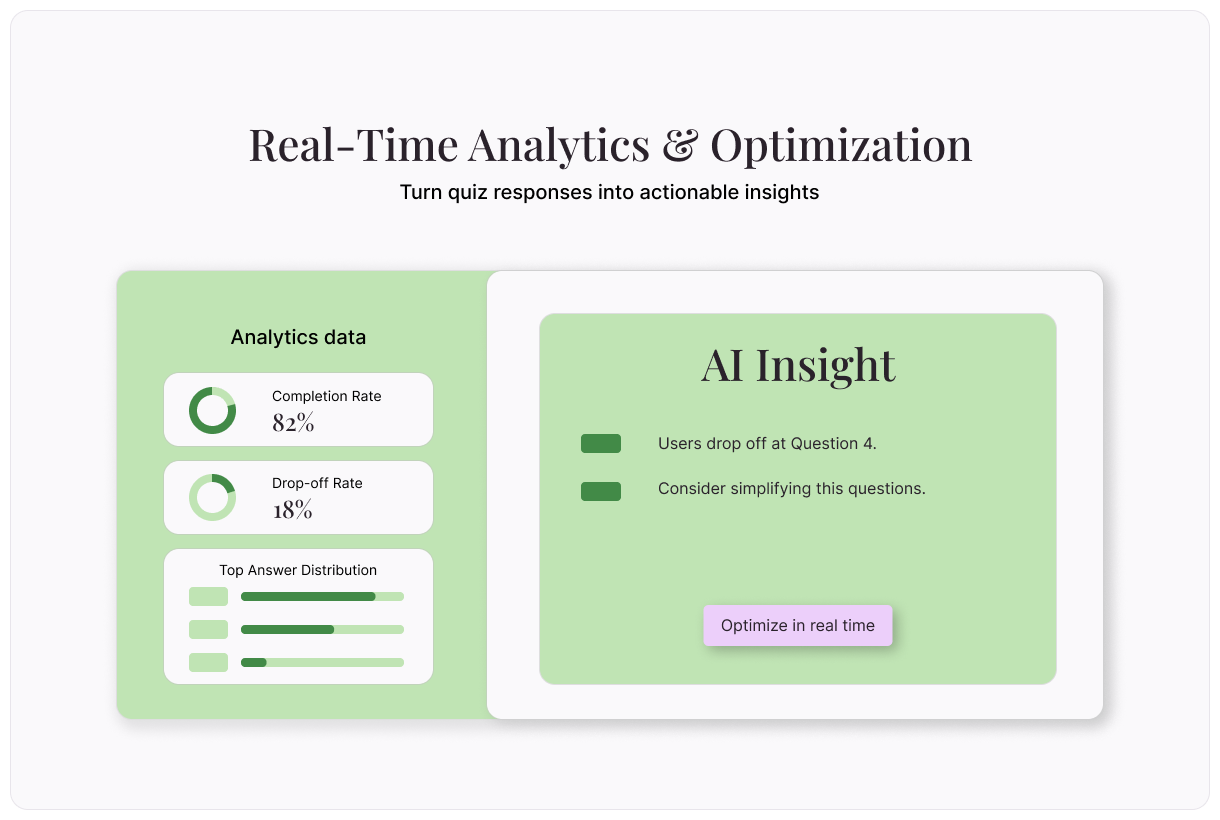
Typeform’s built-in analytics help you turn poll results into action. Your reporting dashboard shows all of your poll data, in one place. Find metrics like completion rates, drop-offs, and aggregated poll results. Collect instant, actionable insights that help you make better decisions.
Integrates with your tech stack
Disconnected apps never helped anyone. Typeform integrates with hundreds of popular apps in your tech stack to save you time and effort. Integrate with your CMS tools, customer support, email marketing, and eComm platform. Get data flowing from your polls into your most-used tools in just a few clicks. Your workflows have never been smoother.
Safe and secure
Your data security is our top priority. We’ve built Typeform according to global compliance standards. Enterprise-grade data protections maintain the integrity and security of your data. We’re HIPAA-certified and meet the highest global security standards, including:
GDPR
SOC 2 Type II
ISO 27001, 27017, 27018
CCPA
How to create a poll with Typeform
Looking for quick answers to straightforward questions? It’s time to try a poll. Follow this guide to create a poll with Typeform.
How to create a poll with Typeform AI
Typeform AI makes it easy to quickly create an effective poll. Follow these steps:
Log into Typeform and select “Create a new form”
Write a few sentences about the type of poll you’d like to create.
Typeform AI will guide you through a series of questions and build a poll according to your answers. Once you’re satisfied with the poll Typeform AI has created, select “Apply”
Edit questions, outcomes, branching, and more, or ask Typeform AI to make modifications for you.
Next, it’s time to design your poll using the “Design” tab. Explore different pre-made themes in our Gallery, or use your own Brand Kit themes.
Connect your new poll to your most important apps and tools in the “Connect” tab.
Once you’re happy with your poll, select “Share” to make it live!
How to create a poll from a Typeform template
Begin by exploring our template gallery. You can search for poll templates or look at other types of templates that may work for your needs.
Once you’ve found a template you like, select “Use this template.”
Edit the template questions, outcomes, endings, and more as needed. You can add your own images, change the order of the questions, or anything else you’d like.
Edit the look of your poll in the “Design” tab. Choose from pre-made themes in our gallery, or a theme based on your Brand Kit.
Connect your new poll to your most important apps and tools in the “Connect” tab.
Once you’re happy with your poll, select “Share” to make it live!
How to create a poll from scratch
Log into Typeform and select “Create a new form”
Select “Start from scratch”
Select a question type, then add the question and possible answers.
To add the next question, select “+Add content”
In the “Endings” panel on the left, create the end screen poll takers will see when they finish the survey.
Edit your poll’s appearance using the “Design” tab. Choose from your Brand Kit themes or select a theme from the Gallery.
Integrate your poll with your other tech tools in the “Connect” panel on the top. Find your desired tool, then select “Connect” and follow the prompts.
Once you’re happy with your poll, select “Share” to make it live!
Create better polls with these tips
Get more responses and generate better insights with just a few tweaks. Follow these best practices when creating a poll.
Ask concise questions
One of the most common mistakes in creating polls is asking overly complex questions. Each poll question should be focused and easy to answer.
Say you run a restaurant and want to learn more about diner satisfaction. You’re sending a short poll to recent diners that asks about their experience. An overly complex poll question would ask:
“Was your food well prepared and server friendly?”
A diner who had great food, but poor service couldn’t accurately answer.
Instead, break this into two questions. Each should focus on a single topic:
“Was your food well prepared?”
“Was your server friendly?”
Provide limited answer options
When using multiple choice questions in your poll, it’s important to only provide a few answer options. When answers are too similar, people may struggle to make the best choice. This can lead to unreliable data.
Let’s use the above example. The question is, “Was your server friendly?” Too many answer choices would look something like this:
My server was very friendly.
My server was warm and bubbly.
My server was attentive, but not friendly.
My server checked on me a few times.
My server ignored me.
Instead, simplify it so each option is clearly distinct:
My server was very friendly.
My server was not very friendly, but wasn’t mean.
My server was mean.
Fewer clear options make your poll faster to complete and your data easier to analyze.
Allow people to skip questions
If you’re asking more than one question, allow people to skip the questions that don’t apply. When respondents are forced to answer an irrelevant question, one of two things can happen:
They choose a random answer, which skews your data.
They abandon the quiz altogether.
By allowing respondents to move forward without answering, you’ll get clearer data and higher completion rates.
Use neutral language
Avoid using leading or biased wording. Biased language pushes respondents toward a specific answer. It generates incorrect answers and can increase your drop off rate.
Using the above example, a leading question would ask:
“How much did you love your meal?”
Instead, ask a neutral question like:
“How did you like your meal?”
Then, provide options for the full spectrum of responses, from “Loved” to “Hated.”
Create engaging polls with Typeform
Typeform’s drag-and-drop builder makes it easy to create engaging polls in minutes. Share them across your channels, then view your results on our visual reporting dashboard. You’ll generate illuminating insights that drive business growth.
Free online trivia maker: custom trivia quizzes in minutes
Trivia is engaging. People love testing their knowledge, competing with friends, and proving they know random facts nobody asked them to memorize. That’s why trivia works as a learning tool, a marketing hook, an event activity, and just plain fun.
AI survey builder: create smart surveys in minutes
Creating effective survey questions is easier said than done. You need to ask the right things, in the right order, to the right people—and do it in a way that actually makes people want to answer. Most survey builders make this harder, not easier. You’re staring at a blank form, second-guessing every word, wondering if your logic flows or if you’ll get useful data back