Application for Zoning Permit Form
Collect every project detail before a zoning decision is made, so your planning team reviews complete applications from the start.



Planning departments that accept zoning permit applications by email or paper receive submissions missing critical site details, incorrect land use classifications, and incomplete owner authorizations. Every incomplete application delays the review process and adds follow-up work before any assessment can begin. Typeform's application for zoning permit form gives applicants a consistent, structured path to submitting a complete request in one go.
The form captures property details, current and proposed land use, project description, applicant and owner information, and any required compliance declarations. Applicants work through one section at a time, so every requirement is addressed before the submission reaches your planning desk. Conditional logic routes each application through questions that match the zoning category and project type. A change-of-use application follows a different path through the form than a variance request or a new development application.
Customize the form with your jurisdiction's zoning categories, applicable codes, required declarations, and planning department branding. Share it on your council's planning portal, link it from your permit services page, or distribute it through your applicant communications. Every submission flows to Google Sheets via Zapier, so your planning team tracks applications and flags incomplete requests without rebuilding a manual log. Fewer back-and-forth requests slow your process, and each application arrives ready for review.
An application for zoning permit form collects the property, project, and compliance information a planning authority needs to assess and decide on a zoning request. It gathers property address and legal description, current and proposed land use, project description, applicant and owner details, and required declarations in one submission. It functions as the formal intake record for every zoning permit request your department receives.
Incomplete zoning applications delay decisions, create additional work for planning staff, and frustrate applicants waiting on a response. When details are missing or inconsistent, your team contacts the applicant, waits for a response, and reprocesses the submission before any review can start. A structured form ensures every applicant provides the same required information, so your team assesses applications rather than chasing paperwork. Use it for change-of-use applications, variance requests, conditional use permits, new development approvals, and rezoning inquiries.
Screen for the right information from the start:
- Property address and legal description (lot number, parcel ID)
- Current zoning classification and land use
- Proposed zoning classification or land use change
- Project description and justification
- Site area and dimensions
- Applicant name, contact details, and relationship to the property
- Property owner name and authorization (if different from applicant)
- Supporting plans or documents required for the application type
- Adjacent property details (if required by your jurisdiction)
- Applicable zoning code reference
- Declaration of accuracy and applicant signature
Use Typeform's File Upload feature to let applicants attach site plans, surveys, title documents, or supporting reports directly in the application. Accepted file types include PDF and common image formats, with a 10MB limit per file. Documents arrive alongside the application details, so your planning team reviews the full submission without requesting attachments separately. File Upload is available on paid Typeform plans.
Use Zapier to route each application to the right planner or review team based on application type, zoning category, or project location. A rezoning request routes to a different reviewer than a variance or change-of-use application, so each submission reaches the right person without manual sorting. Automated routing cuts the time between intake and initial review, keeping your planning process on schedule.
Get inspired by relevant templates and categories
3200+ Templates, 300+ Integrations
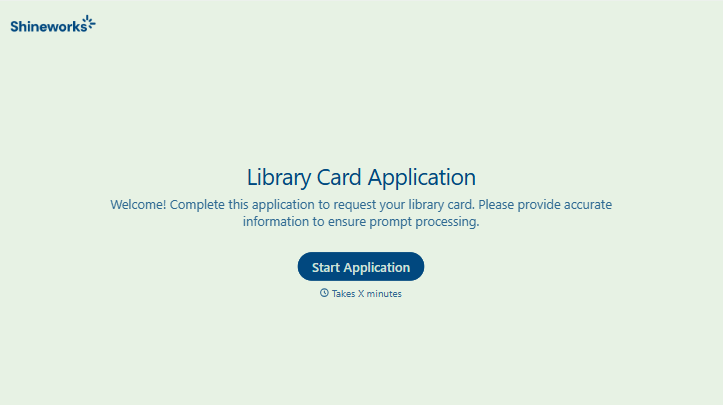
Library Card Application Form
Move past a quick sign-up sheet that just grabs a name and an address. Screen for who actually needs a parent or guardian to co-sign, confirm proof of residency, and keep a record of exactly what each cardholder agreed to before you hand over a card that comes with real financial responsibility attached.
View template





With Typeform, you can customize everything
Change text, colors, and even logos to match the look and feel of your brand. Then embed forms smoothly onto web and email.
Make forms feel effortless to fill out. Pace questions, call people by their name, and adapt the flow based on the data they share.
Stay efficient by connecting forms to your workflow. Typeform integrates with 300+ tools including Slack, Zapier, and HubSpot.


