Feedback Evaluation Form
Collect structured feedback from every evaluator, so scores are consistent and decisions are based on what respondents actually said.



Teams that collect feedback through ad hoc surveys get responses that are inconsistent, hard to compare, and impossible to aggregate. Without a standard set of criteria, feedback reflects whoever asked the question more than the experience being evaluated. Typeform's feedback evaluation form gives teams a clear process for collecting structured, comparable responses every time.
The form captures respondent details, subject evaluated, criteria-specific ratings, open-ended comments, and an overall score. Each question appears on its own, so respondents give each criterion proper attention. Conditional logic surfaces follow-up questions when a low score is given. Someone rating a session as poor sees prompts for specific feedback, while higher scores move straight to the summary.
Customize the form with your evaluation criteria, rating scales, and the specific subject or program being assessed. Share it via email after an event or session, or embed it directly on your LMS or training platform. Every response flows into Google Sheets or Airtable via Zapier, so your team spots patterns across evaluators without manual review. Your team arrives at the next session already knowing what to improve.
A feedback evaluation form collects structured assessments from respondents about a specific session, program, or experience. It gathers criteria-based ratings, open-ended comments, and an overall score in one submission. Think of it as the record that turns opinions into data your team can compare and act on.
Open comment boxes capture sentiment, not insight. Without consistent criteria, responses reflect what each evaluator noticed, not whether the session met its objectives. A structured form ensures every respondent evaluates the same criteria, making patterns identifiable and improvements actionable. Use it for training sessions, course evaluations, performance reviews, event feedback, and supplier assessments.
A complete feedback evaluation form covers:
- Respondent name and role (optional or required)
- Subject, session, or program being evaluated
- Criteria-specific rating questions (e.g., content quality, delivery, relevance, pace)
- Open-ended comment fields for each criterion
- Overall satisfaction or recommendation score
- Suggestions for improvement
Set up conditional logic to branch by score, so low ratings prompt specific feedback and high ratings move straight through. A respondent rating content quality as poor sees a prompt asking what was missing or unclear. A respondent rating delivery as excellent moves directly to the overall score and any final comments. This means your team gets specific, actionable detail where it matters most.
Connect the form to Google Sheets or Airtable via Zapier so every evaluation logs with scores, comments, and submission timestamp. Filter by subject, session date, or score range to identify which sessions performed below expectations and where feedback patterns repeat. Use Typeform's email notifications to route completed evaluations to the relevant program manager immediately. Your team reviews findings while the session is still fresh and acts before the next one runs.
Get inspired by relevant templates and categories
3200+ Templates, 300+ Integrations
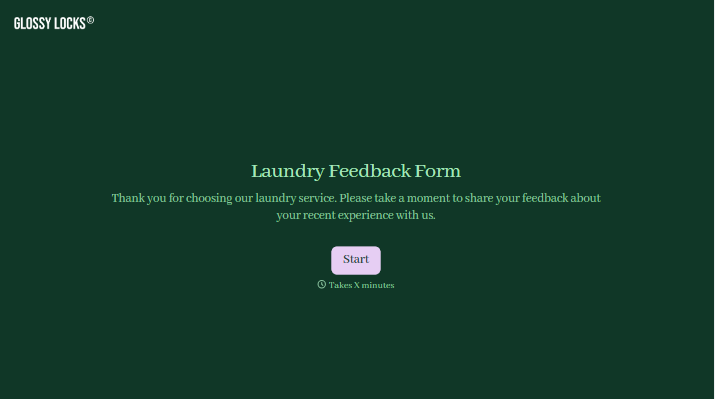

With Typeform, you can customize everything
Change text, colors, and even logos to match the look and feel of your brand. Then embed forms smoothly onto web and email.
Make forms feel effortless to fill out. Pace questions, call people by their name, and adapt the flow based on the data they share.
Stay efficient by connecting forms to your workflow. Typeform integrates with 300+ tools including Slack, Zapier, and HubSpot.


