Digital Property Appraisal Form
Give property owners a convenient way to request real estate appraisals with a form that collects property details, ownership information, and valuation needs. Keep appraisal requests organized so real estate professionals can review submissions, evaluate property characteristics, and coordinate accurate property assessments.



A homeowner wants to determine their property's value before selling. Another homeowner needs an appraisal for refinancing a mortgage. While they both need a professional property valuation, their reasons for requesting an appraisal and the information required may be different. A digital property appraisal form helps appraisers collect essential property details and prepare for the valuation process.
Property owners provide contact information, property addresses, and details about the size, condition, and features of their homes. You can include fields for square footage, lot size, recent renovations, and property type. Questions about the purpose of the appraisal, known property issues, and available documentation help appraisers understand the property and determine what additional information is needed.
Your team receives organized appraisal requests without relying on scattered emails or paper questionnaires. Appraisers review submissions, identify missing details, and schedule inspections or follow-up assessments. Real estate professionals get a structured way to manage appraisal inquiries, prepare valuation reports, and communicate with property owners throughout the process.
A digital property appraisal form collects information about real estate properties that require professional valuation. It typically includes owner contact details, property addresses, building characteristics, condition information, and appraisal purposes. Licensed or certified appraisers use it to gather preliminary information, coordinate inspections, and prepare for property assessments. The form supports the appraisal process but does not replace an independent professional valuation.
Collecting property information through phone conversations or separate documents can make it difficult to track appraisal requests and identify missing details. A structured digital appraisal form gathers consistent information about property characteristics, ownership, and valuation requirements. It helps appraisers review preliminary details, plan inspections, and request supporting documentation while reducing administrative work before the assessment begins.
Include questions that help appraisers understand the property and prepare for an assessment, like:
- What is your full name?
- What is your preferred contact email?
- What is your phone number?
- What is the property's full address?
- Are you the property owner or an authorized representative?
- What type of property needs an appraisal?
- What is the purpose of the appraisal?
- What year was the property built?
- What is the approximate square footage?
- What is the property's lot size?
- How many bedrooms and bathrooms does the property have?
- How would you describe the property's current condition?
- Have any major renovations or improvements been completed?
- Are there any known structural issues or property defects?
- Does the property have any additional features or amenities?
- Is the property currently occupied, vacant, or rented?
- Are there any known easements or restrictions affecting the property?
- Do you have previous appraisal reports or relevant property documents?
- When do you need the appraisal completed?
- What is your preferred method of communication?
You can customize the questions to match your appraisal services, property types, and valuation requirements.
Use dropdown menus for property types, appraisal purposes, and building conditions. Include numerical fields for square footage, lot size, and the number of bedrooms and bathrooms. Conditional logic can display additional questions when owners report renovations, rental properties, or structural concerns. Allow users to upload property photos, floor plans, and supporting documents when appropriate. Clearly explain the appraisal process, potential fees, inspection requirements, and expected timelines so property owners know what to expect after submitting the form.
Yes. A digital property appraisal form helps real estate professionals collect consistent information from multiple property owners and organize appraisal inquiries. Appraisers can review submissions, categorize requests by property type or valuation purpose, and identify properties requiring additional documentation or inspections. The collected information also supports appointment scheduling, client communication, and workflow planning. A structured intake process helps appraisal teams manage requests efficiently while maintaining organized records throughout the valuation process.
Get inspired by relevant templates and categories
3200+ Templates, 300+ Integrations
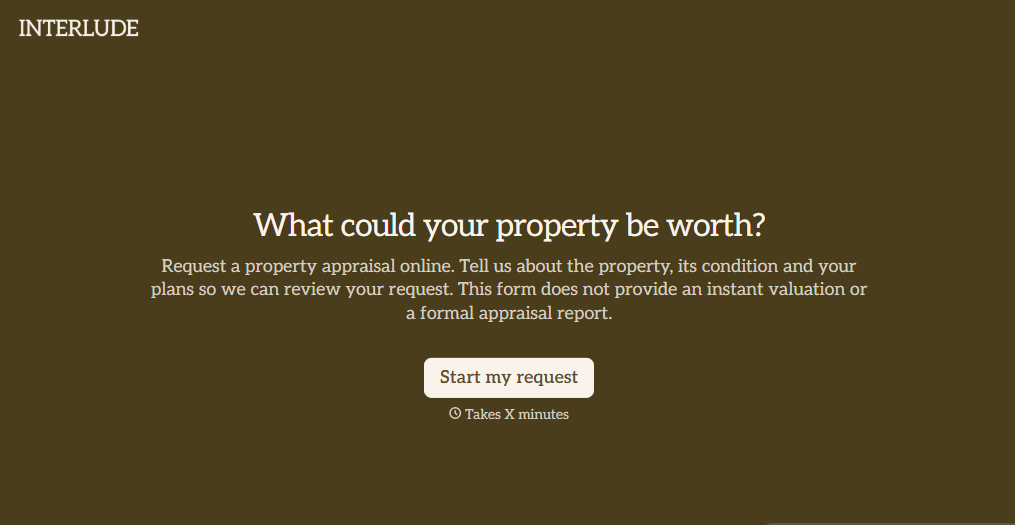
Digital Property Appraisal Form
Give property owners a convenient way to request real estate appraisals with a form that collects property details, ownership information, and valuation needs. Keep appraisal requests organized so real estate professionals can review submissions, evaluate property characteristics, and coordinate accurate property assessments.
View template


With Typeform, you can customize everything
Change text, colors, and even logos to match the look and feel of your brand. Then embed forms smoothly onto web and email.
Make forms feel effortless to fill out. Pace questions, call people by their name, and adapt the flow based on the data they share.
Stay efficient by connecting forms to your workflow. Typeform integrates with 300+ tools including Slack, Zapier, and HubSpot.


