21-Day Challenge Sign-Up Form
Challenge sign-ups shouldn't disappear into a DM thread you have to scroll back through. Collect what your coaching actually needs, goals, starting stats, health disclosures, before day one begins.



People join a challenge wherever they find it: a comment on a post, a DM that just says "I'm in!", a link in your bio that dumps them into a generic contact form. By the time day one arrives, you're piecing together who actually signed up, what they're working toward, and whether anyone mentioned an injury, from a dozen different threads.
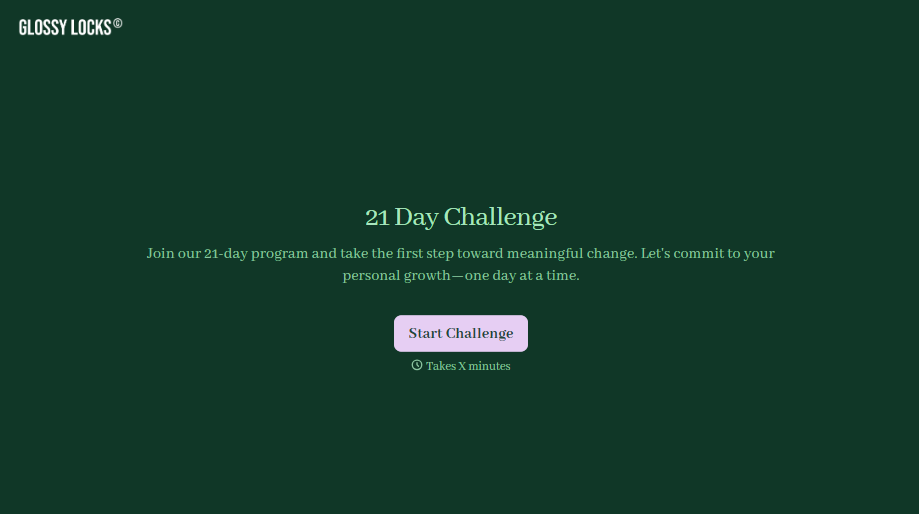
Typeform's 21-day challenge sign-up form asks for what your coaching needs to personalize the challenge, participant information, goal or track, starting stats or photos, and any health or injury disclosures, and uses conditional logic to branch from there. A weight-loss goal can ask for a starting weight and measurements; a habit-building goal can skip straight to which habit they're working on, instead of every participant answering questions that don't apply to their track.
Every sign-up lands in one place instead of scattered across comments and DMs. Connect the form to your email or CRM tool through Zapier, and a submission can tag a participant by goal or track automatically. Ask for a starting photo or measurements up front, and you begin the challenge with a real baseline instead of chasing someone for a "before" picture on day five.
A 21-day challenge sign-up form is an online form coaches and wellness brands use to collect a participant's goals, starting stats, and health information before a group challenge begins. Instead of a comment thread or a DM, the participant submits everything themselves, and you start with a complete profile for every person in the challenge.
A DM captures "I'm in," not a goal, a starting weight, or whether someone has a knee injury you should know about. A form gets the details you actually need up front, and it works whether someone signs up from a comment, a story link, or your website.
Ask for what you'll actually need to run the challenge well:
- Name and contact information
- Goal or challenge track
- Starting stats or photos, if you're tracking progress
- Health or injury disclosures
- Agreement to the challenge terms and schedule
Not always, depending on how you run the challenge. A submission tells you who wants in and what they're working toward, but if spots are limited or the challenge requires payment, someone still needs to confirm the enrollment. Connect the form to your CRM through Zapier, and a submission can trigger a welcome email automatically, but a person can still check it against capacity first.
Yes. Add a file upload question and participants can attach a starting photo, measurements sheet, or a doctor's note in the same submission, no separate email required. Pair it with conditional logic so the upload only appears for the participants tracking that kind of progress.
Get inspired by relevant templates and categories
3200+ Templates, 300+ Integrations



With Typeform, you can customize everything
Change text, colors, and even logos to match the look and feel of your brand. Then embed forms smoothly onto web and email.
Make forms feel effortless to fill out. Pace questions, call people by their name, and adapt the flow based on the data they share.
Stay efficient by connecting forms to your workflow. Typeform integrates with 300+ tools including Slack, Zapier, and HubSpot.


