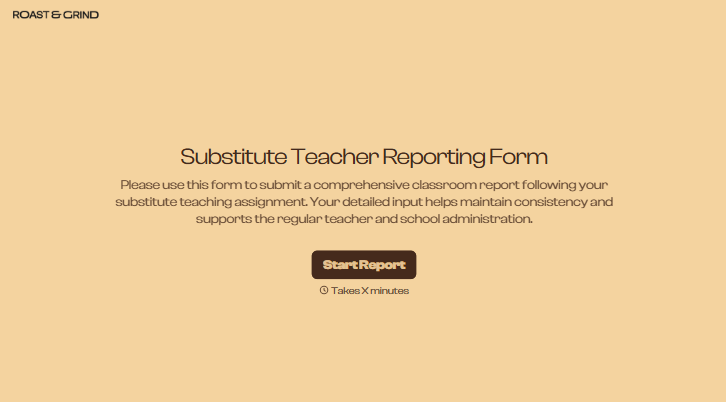
Substitute Teacher Reporting Form
A day with a substitute shouldn't disappear into a sticky note on the desk. Collect what the classroom teacher and office actually need, lesson progress, attendance, any incidents, before the substitute leaves the building.



Sub reports happen, however, there's time left at the end of the day: a note scrawled on the lesson plan, a quick word with the office on the way out, nothing at all if the day ran long. By the time the regular teacher is back, there's no real record of what got covered, how the class behaved, or whether anything happened that the office should already know about.
Typeform's substitute teacher reporting form asks for what the classroom teacher and office need to pick up where the day left off, substitute and class information, lesson plan completion, and attendance or behavior notes, and uses conditional logic to branch from there. A day that went smoothly can skip straight to lesson notes; a day with an incident can branch to incident details and whether the office was already notified, instead of every report working through sections that don't apply.
Every report lands in one place instead of a note that gets lost on a desk over the weekend. Connect the form to your absence management or student information system through Zapier, and a report flagged with an incident can notify the office automatically. Ask for the report before the substitute leaves for the day, and the regular teacher comes back to a complete record instead of piecing the day together from memory.
A substitute teacher reporting form is an online form schools use to have substitutes record lesson progress, attendance, and any incidents from their day in the classroom. Instead of a note left on a desk, the substitute submits a complete report, and the regular teacher and office start with an actual record.
A note left on a desk can go missing, get tossed with the lesson plan, or never get written at all if the day runs long. A form takes the same few minutes either way, and it creates a record the office can see, not just whoever happens to check the desk on Monday.
Ask for what the returning teacher and office will actually need:
- Substitute name, class covered, and date
- Lesson plan completion status
- Attendance and behavior notes
- Any incidents, and whether the office was already notified
- Materials used or anything that needs follow-up
Not on its own. The form creates the record for that day, it doesn't replace telling the office directly if something needs attention right away. Connect the form to your communication tool through Zapier, and a report flagged as an incident can trigger an alert automatically, but for anything urgent, substitutes should still flag it with the office before they leave.
Yes. Add a file upload question and substitutes can attach a photo of the whiteboard, completed worksheets, or an incident note in the same submission, no separate email required. Pair it with conditional logic so the upload only appears when there's something worth attaching.
Get inspired by relevant templates and categories
3200+ Templates, 300+ Integrations
Graduation Clearance Form
Move past a clearance process that assumes you can just withhold a transcript until every last fee is paid. Confirm what federal loan exit counseling actually requires, check what your state and the Department of Education actually allow you to hold, and keep a record of exactly what was cleared and when.
View template
With Typeform, you can customize everything
Change text, colors, and even logos to match the look and feel of your brand. Then embed forms smoothly onto web and email.
Make forms feel effortless to fill out. Pace questions, call people by their name, and adapt the flow based on the data they share.
Stay efficient by connecting forms to your workflow. Typeform integrates with 300+ tools including Slack, Zapier, and HubSpot.


