Unified customer data: best practices for marketers
A disjointed customer journey wastes everyone’s time, money, and resources. And siloed data is partially to blame. Learn how to unify customer data across your GTM organization and get everyone on the same page.
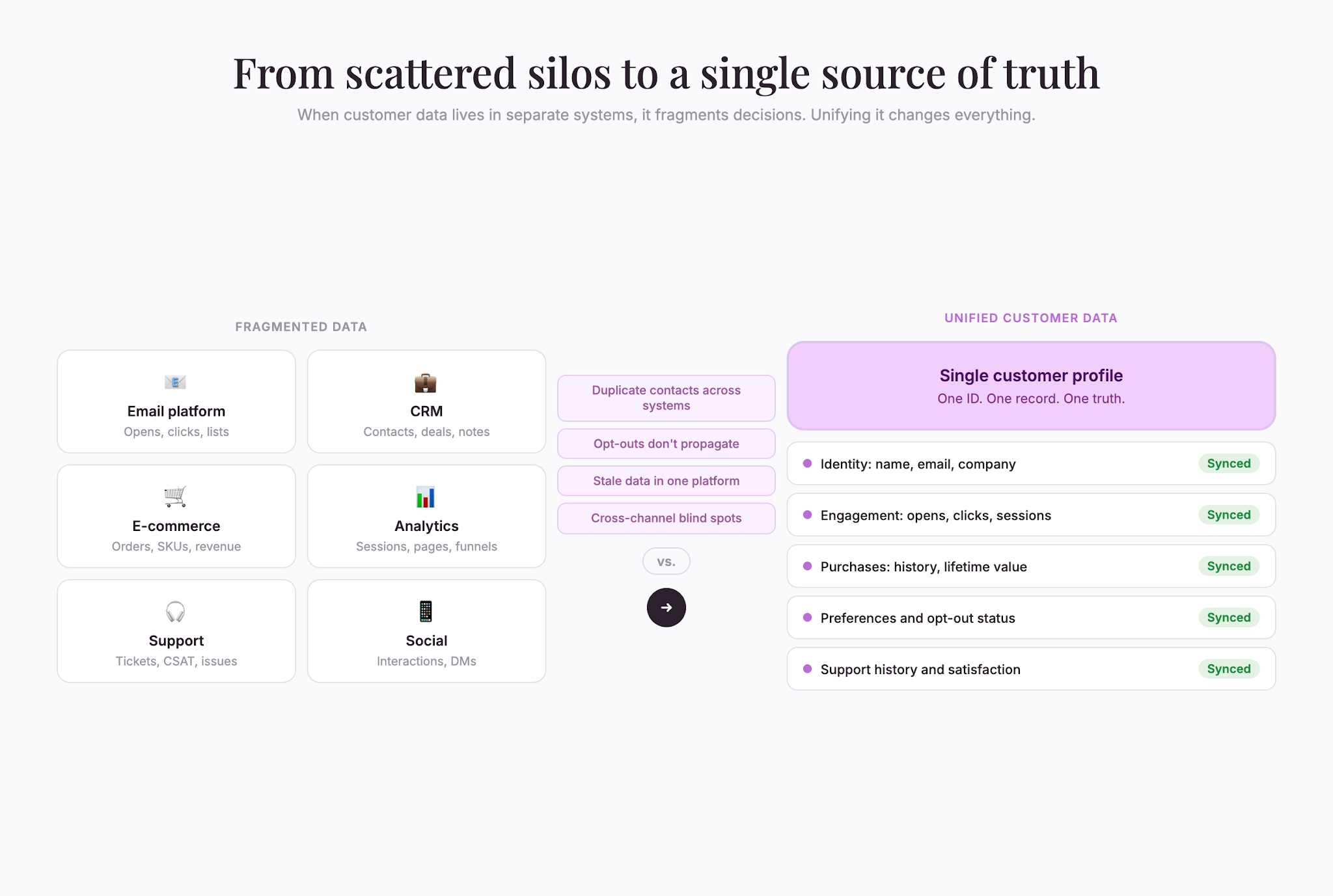
Your customer data lives everywhere. Names in your email platform. Purchase history in e-commerce. Tickets in your help center. Behavior in analytics. Social interactions scattered across channels.
Each system holds a piece of the truth. None holds the whole thing.
Marketers who unify their customer data send the right message to the right person at the right time. Marketers who don’t stay fragmented end up with duplicate emails, missing context, and a blurry picture of who the customer actually is.
Data unification isn’t easy. But it is necessary.
Why fragmentation costs you
Scattered data leads to poor decisions.
You email someone about a product they already bought. You send three variations of the same offer to one person across channels. You assume someone is unengaged because they haven’t opened emails when they’re actively using your app every day.
More tactically, fragmentation means:
- Duplicate work – Manual entry into multiple systems instead of one sync
- Stale data – An updated email in one place while an old email lingers in another
- Bad segmentation – You can’t filter on cross-system behavior
- Poor personalization – You get narrow slices instead of a full picture
- Wasted spend – Same person targeted twice across channels
- Compliance risk – Opt-outs in one system don’t propagate to another
Data unification fixes all of these issues. Here’s how to get started.
Define what a “customer” is to your business
Before you unify your data, agree on what a customer means to your business. This may sound obvious, but it’s not.
Ask yourself:
- Is a customer someone who’s bought, or anyone who’s signed up?
- If a person uses your product at work, are they the customer or is the company?
- If someone has multiple emails, are they one customer or several?
- If someone stopped buying five years ago, are they still a customer?
Most companies use a simple rule: one person, one unique email or ID. But you have to spell out the edge cases so that marketing, sales, and support all use the same definition.
Otherwise, the data stays a mess.
Choose your source of truth
Maintain one master database that holds your complete customer record. This is your source of truth.
Options include:
- Your CRM
- A dedicated customer data platform (CDP)
- Your data warehouse
- Your e-commerce or core product system
E-commerce companies often anchor on the product database. B2B companies anchor on the CRM. Larger setups lean on a CDP.
Regardless of what you choose, every other system syncs to this center. Email pulls segments from it. Analytics feeds behavior into it. Support tickets update it.
Map your data sources
Inventory every system that holds customer data: CRM, email, ad platforms, analytics, e-commerce, support, social tools, billing, loyalty, chat, and any third-party data feeds.
For each, document:
- What customer data does it hold?
- How often should it sync?
- Who owns the relationship with that vendor?
- What’s the integration approach (API, CSV, third-party tool)?
This map is your data architecture.
Agree on universal identifiers
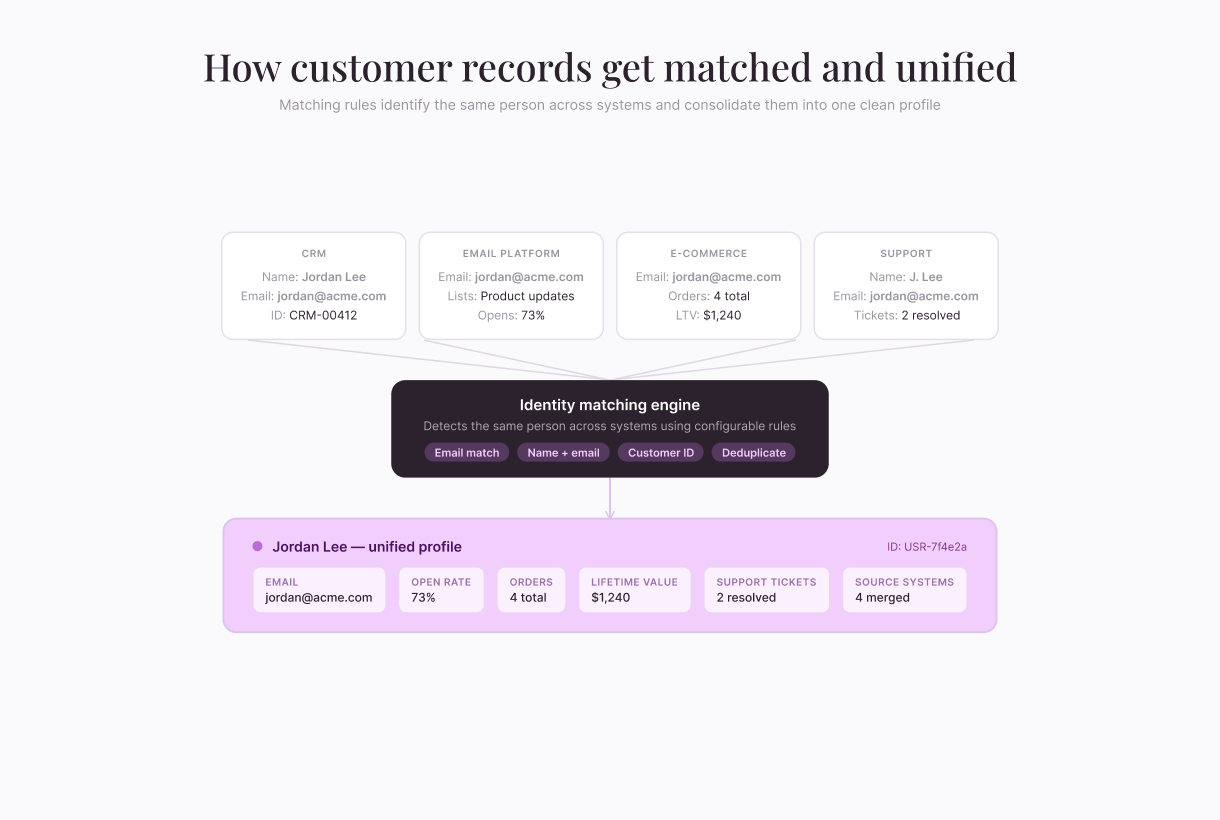
Before your systems can talk, they also need to agree on who the customer is. This means you need fields that uniquely identify someone across systems:
- Email address – most common
- Customer ID – common in e-commerce or SaaS
- Phone number – for SMS and mobile
- External IDs – partner IDs, social handles, vendor IDs
Every system should carry at least one. Then, you need matching rules—email + first name + last name, or customer ID + email—to recognize the same person across platforms. Some matching engines use machine learning to handle “Bob” versus “Robert”; rule-based matching is enough for most companies.
Decide what to sync, and how often
Not every field from every system needs to flow into your source of truth. Too much data creates noise and slows everything down.
Instead, sync only the essentials:
- Identity – name, email, phone, company
- Engagement – purchases, opens, clicks, browsing
- Preferences – channels, topics, products
- Lifecycle – signup date, last purchase, lifetime value
- Behavior – feature usage, support history, engagement score
Don’t sync raw analytics events, every single timestamp, personal data you don’t need, or stale records older than two or three years.
Next, decide on sync frequency:
- Real-time – opt-outs, purchases, high-intent behavior
- Daily – most engagement and behavioral data
- Weekly – surveys, form submissions, lower-priority feeds
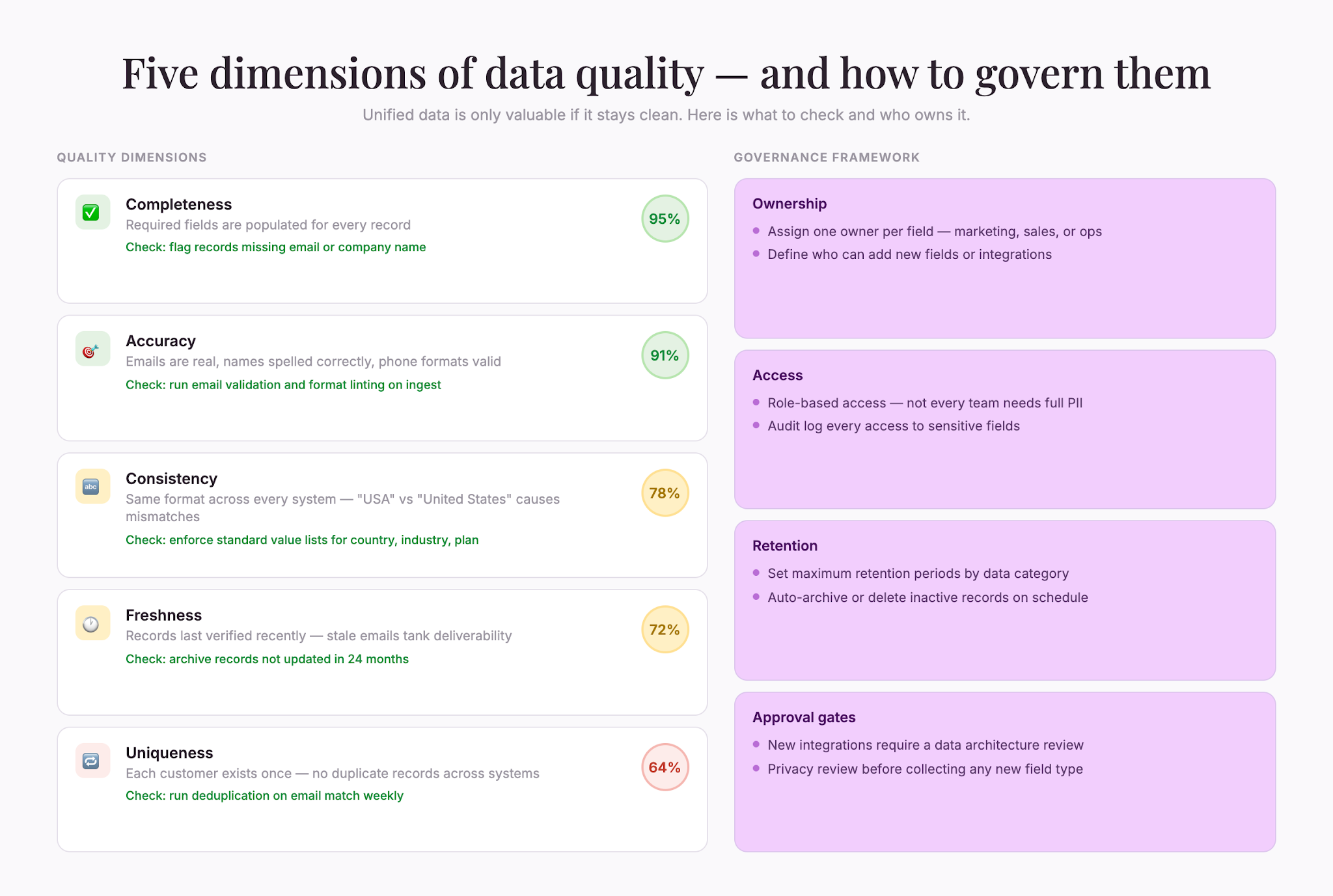
Set data quality and governance
Unified data is only valuable if it’s clean. Bad data corrupts everything downstream.
To avoid this, set and enforce quality standards, like:
- Completeness – Required fields filled
- Accuracy – emails real, names spelled right
- Consistency – formatted the same way everywhere
- Freshness – last verified recently
- Uniqueness – no duplicates
Set up automated checks: flag invalid emails, alert on missing required fields, deduplicate regularly, and archive inactive records.
Then, define governance: who owns each field, who can access what, how long you retain data, and who approves new fields or integrations.
Plan for privacy and compliance
Centralizing personal data comes with responsibility.
- Know your regulations – GDPR, CCPA, and other laws shape how you store and use data
- Get proper consent – before you unify, you need permission (transactional data aside)
- Be transparent – customers should know what you collect and why
- Enable access and deletion – answer data requests quickly across every system
- Secure the data – unified profiles are high-value targets, so encrypt, restrict access, and monitor
Treating privacy seriously—through legal review, regular audits, and clear processes—protects your customers and your business.
Measure success
Unifying data is a means, not an end.
To measure success, you have to track impact:
- Email performance – better open and click rates
- Segmentation – segments you couldn’t build before
- Personalization – relevance and engagement lifts
- Efficiency – time saved on manual work
- Compliance – fewer opt-out and privacy issues
If data unification isn’t moving the numbers, dig in. Maybe data quality is still poor. Maybe teams aren’t actually using the unified profile. Maybe your source of truth doesn’t support what you need.
Start small, expand methodically
Unifying everything at once is a heavy lift. Instead, start with the highest-impact pair—usually CRM and email. Add e-commerce next. Then analytics. Then support.
Each integration teaches you something about your data, your systems, and your team, so you can build complexity as you learn.
With unified data, you go from knowing your customers in pieces to knowing them fully. That means you can send better messages, create stronger relationships, and foster the results you want.