Multiple-choice survey questions: examples, formats and best practices
Learn how to write multiple choice survey questions with practical examples, common formats, and tips for creating effective answer options.
Key Takeaways
- A multiple-choice survey question gives respondents a predefined set of answer options to choose from.
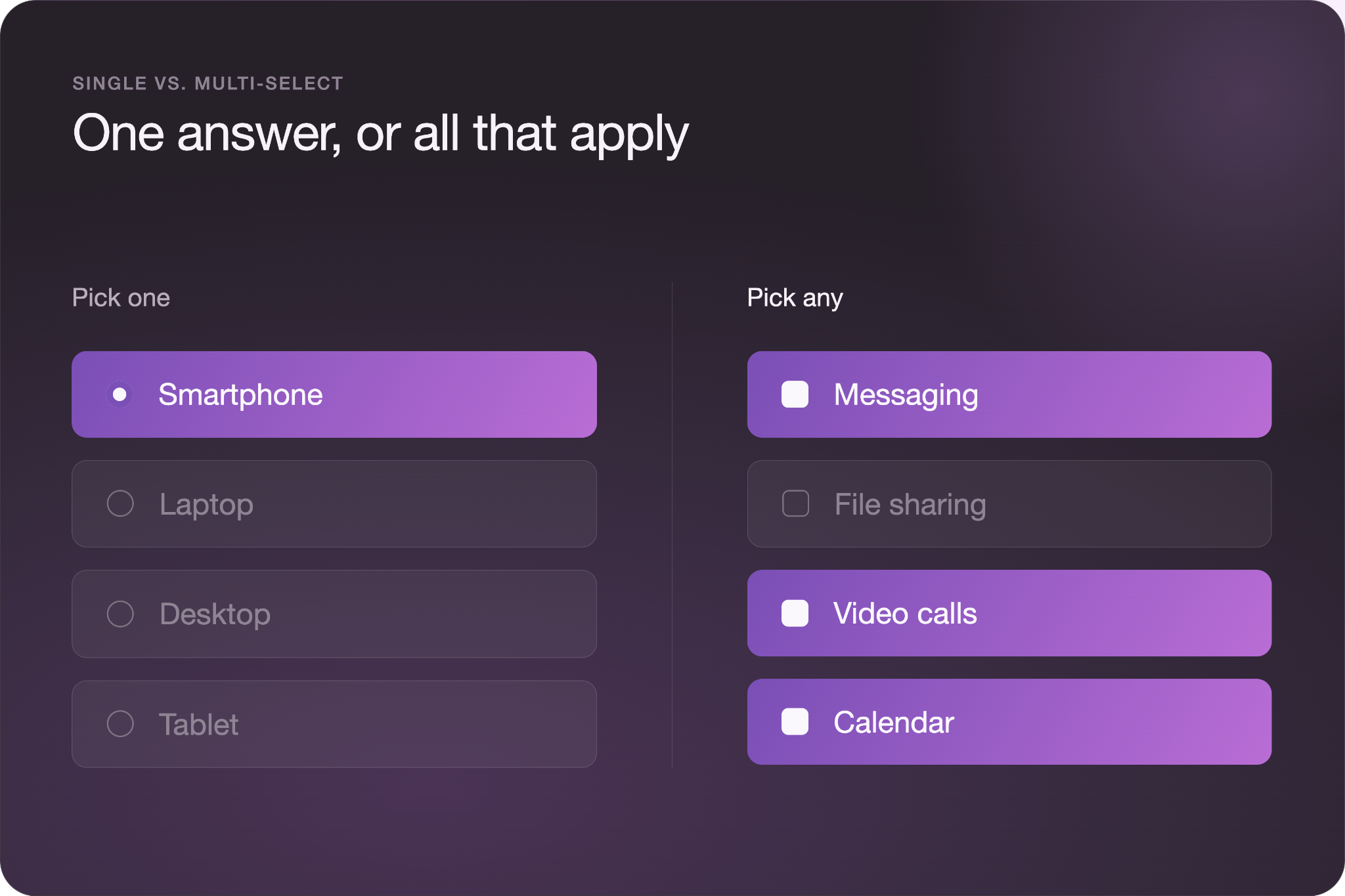
- Single-select questions allow one answer and work when only one option can apply. Multi-select questions allow several answers and work when more than one option can be true.
- Effective answer options are mutually exclusive and exhaustive. Choices should not overlap, and every realistic response should have an appropriate option.
- Answer option order can influence which responses people select. Randomizing options when their order has no logical meaning can reduce this effect.
- Multiple-choice questions work best when you already understand the likely range of answers. Use open-ended questions when you need to discover responses you have not anticipated.
Multiple-choice survey questions look simple to make, but that simplicity makes them easy to get wrong. A missing answer option can force respondents to choose an inaccurate response, while overlapping choices can make the results difficult to interpret. The data may look complete even when the question itself distorted the responses.
Understanding how different multiple-choice formats work can help you avoid these problems. This guide covers common types of multiple-choice survey questions, practical examples, and best practices for creating answer options that produce useful, reliable results.
What Are Multiple-Choice Survey Questions?
Multiple-choice survey questions are closed-ended questions that ask respondents to choose from a predefined list of answer options. Instead of writing their own response, participants select the option or options that most closely match their answer.
Multiple-choice questions generally fall into two categories: single-select and multi-select. Single-select questions allow respondents to choose one answer and work well when the options are mutually exclusive. For example, a question asking which payment method someone used should allow one selection.
Multi-select questions allow respondents to choose multiple answers and work when several options can be true at the same time. A question asking which social media platforms someone uses may require several selections.
Both formats are common because they are quick for respondents to complete and produce structured data that is easier to compare and analyze across a group.
Types of Multiple-Choice Questions
Single Select
Single-select questions ask respondents to choose one answer from a list of options. Use this format when only one response applies or when you want respondents to identify their primary choice. For example, “Which device do you use most often to access our website?” could offer desktop computer, laptop, smartphone, and tablet as options.
Multi-Select (Select all that apply)
Multi-select questions let respondents choose more than one answer. Use them when several responses can accurately describe a person’s experience, behavior, or preferences. Here’s an example: “Which features do you use each week?” could allow respondents to select messaging, file sharing, video calls, calendar, and task management.
Dichotomous
Dichotomous questions provide two opposing answer options, such as yes or no or true or false. Use them when the question has only two meaningful outcomes and additional choices would not provide useful information. The question “Have you purchased from us in the past six months?” could offer only “Yes” and “No.”
Dropdown
Dropdown questions place answer options inside a menu that respondents open before making a selection. Use a dropdown when respondents need to choose from a relatively long list and displaying every option would take up unnecessary space. Choosing the right question format can make longer lists easier to navigate. “Which state do you live in?” could have all 50 states in a dropdown menu.
Picture Choice
Picture choice questions use images as answer options instead of relying only on written responses. Use them when respondents need to compare visual concepts, designs, or products. For example, “Which package design would you be most likely to notice in a store?” could display several proposed package designs and ask respondents to select one.
Rating and Likert Scales
Rating and Likert scales are structured forms of multiple choice in which response options follow a meaningful order instead of appearing as unrelated choices. Use them to measure satisfaction, agreement, frequency, or similar attitudes. For example, “How satisfied were you with checkout?” could range from “Very dissatisfied” to “Very satisfied.”
Multiple-Choice Question Examples
Multiple-choice survey questions work across customer, employee, market, product, and event research. The following examples show what complete questions and answer options look like in practice.
Customer Feedback
Which of these stopped you from finishing checkout?
- Shipping cost was too high
- Delivery would take too long
- My preferred payment method was unavailable
- I experienced a technical problem
- I decided not to make the purchase
- Other
How did you first hear about our company?
- Search engine
- Social media
- Online advertisement
- Recommendation from someone I know
- News article or blog
- Other
Employee and HR surveys
Which factor would most improve your ability to work effectively?
- Clearer priorities
- More training
- Better tools or software
- Fewer meetings
- More support from my manager
- Other
Which professional development opportunities would you use? Select all that apply.
- Online courses
- In-person workshops
- Industry conferences
- Mentorship
- Certification programs
- None of the above
Market Research
Where do you usually research products before making a purchase?
- Search engines
- Social media
- Retailer websites
- Review websites
- In-store
- Other
Which factor matters most when choosing between similar products?
- Price
- Quality
- Features
- Customer reviews
- Brand reputation
- Availability
Product and UX
What was the main reason you did not complete account setup?
- The process took too long
- I did not understand a step
- I did not want to provide the requested information
- I experienced a technical problem
- I changed my mind
- Other
Which features have you used in the past 30 days? Select all that apply.
- Search
- Saved items
- Notifications
- Messaging
- Account settings
- None of the above
Event Feedback
Which session format was most useful for you?
- Presentation
- Panel discussion
- Workshop
- Q&A session
- Networking session
How did you participate in the event?
- Attended in person
- Watched the live stream
- Watched a recording
- Participated in more than one format
Best Practices for Writing Multiple-Choice Questions
Good multiple-choice questions rely on the answer options just as much as the question itself. Follow these practices to collect responses that accurately reflect what participants mean.
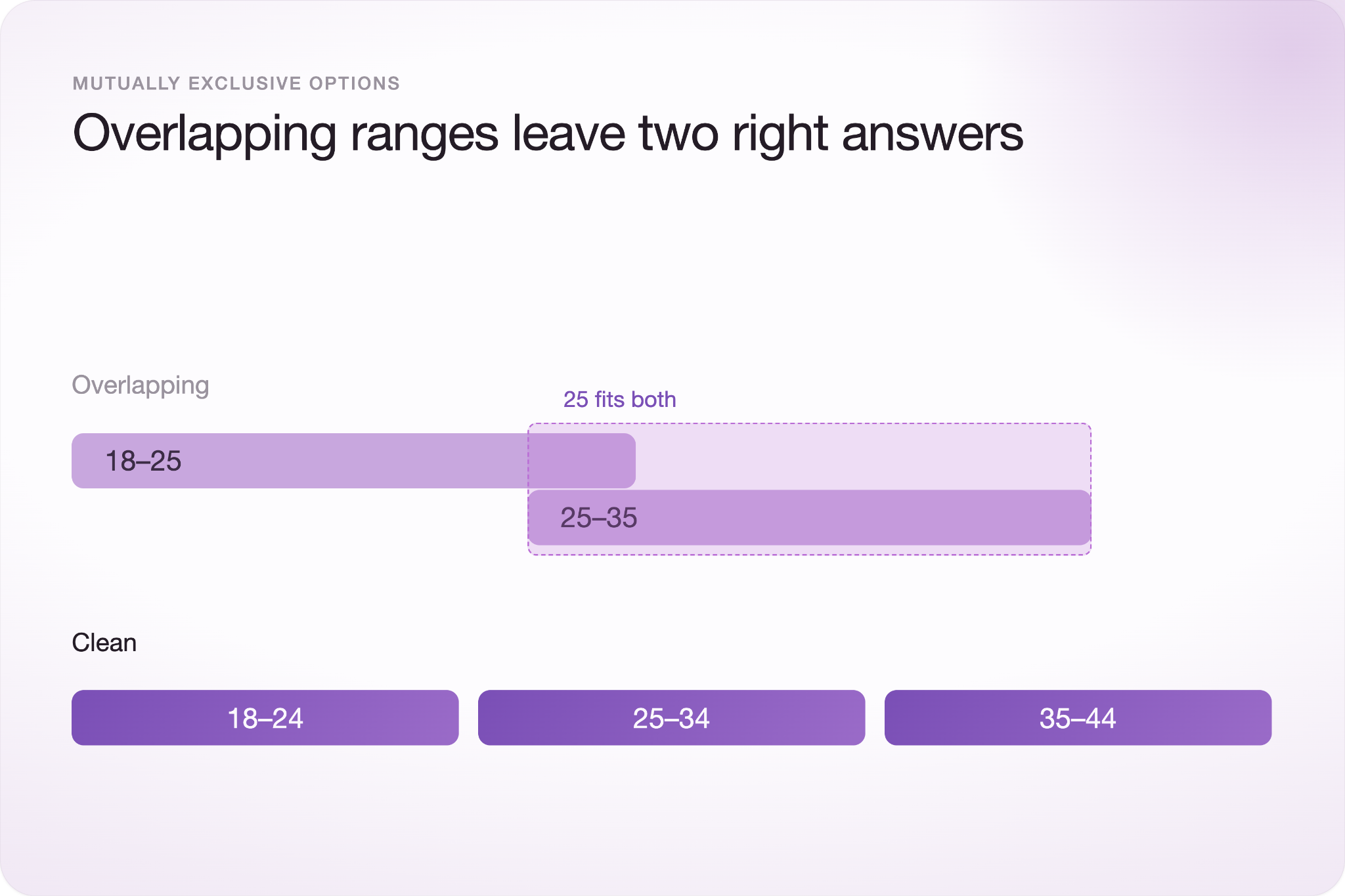
Make answer options mutually exclusive. Each respondent should have one clear place to put an answer in a single-select question. For example, age ranges of 18–25 and 25–35 overlap. Someone who is 25 could reasonably select either option, creating unnecessary ambiguity in the results.
Cover every realistic answer. Respondents who cannot find an accurate choice may select the closest available option instead. Include all reasonable responses or provide an option such as “Other” when you cannot anticipate every possibility.
Ask about one idea at a time. Avoid double-barreled questions such as, “How satisfied are you with our prices and customer service?” A respondent may have different opinions about each, making a single answer impossible to interpret.
Keep answer options short and parallel. Consistent wording makes choices easier to compare. If most options are short noun phrases, for example, avoid switching to a complete sentence halfway through the list.
Limit long answer lists. Large lists encourage respondents to scan for an acceptable choice rather than carefully consider every option. Keep lists manageable when possible, and consider another question format when respondents must choose from many possibilities.
Randomize options when order has no meaning. The position of response options can influence answers, so randomizing unordered choices helps distribute potential order bias. Typeform, for example, lets you randomize answer choices in Multiple Choice questions.
Use “Other,” “None of the above,” and “Not applicable” deliberately. These options are not interchangeable. “Other” captures an unlisted response, “None of the above” rejects the listed choices, and “Not applicable” indicates that the question does not fit the respondent’s situation.
Plan how you will analyze the answers. Choose the question format based on the data you need afterward. Multi-select percentages, for example, do not need to total 100% because each respondent can select more than one answer.
Common Mistakes to Avoid
Multiple-choice survey questions can produce misleading results even when the question itself seems clear. Watch for mistakes that limit what respondents can accurately tell you.
Leading respondents toward an answer: An option list can introduce bias when most choices point in the same direction. Include a balanced range of responses rather than stacking the list around the result you expect.
Building options around assumptions: Answer choices should reflect how respondents actually think about the topic, not just what your team expects them to say. Preliminary research or open-ended questions can reveal choices you overlooked.
Asking respondents to guess: Avoid questions about details people are unlikely to remember or know. A forced guess adds data without adding useful information.
Using single-select when multiple answers are true: If respondents can reasonably have several answers, forcing them to choose one hides part of their experience. Use multi-select when multiple responses can genuinely apply.
When Not to Use Multiple Choice
Use an open-text question when you do not know all of the possible answers. Multiple-choice questions limit respondents to choices you have already identified, which can leave out information you did not anticipate.
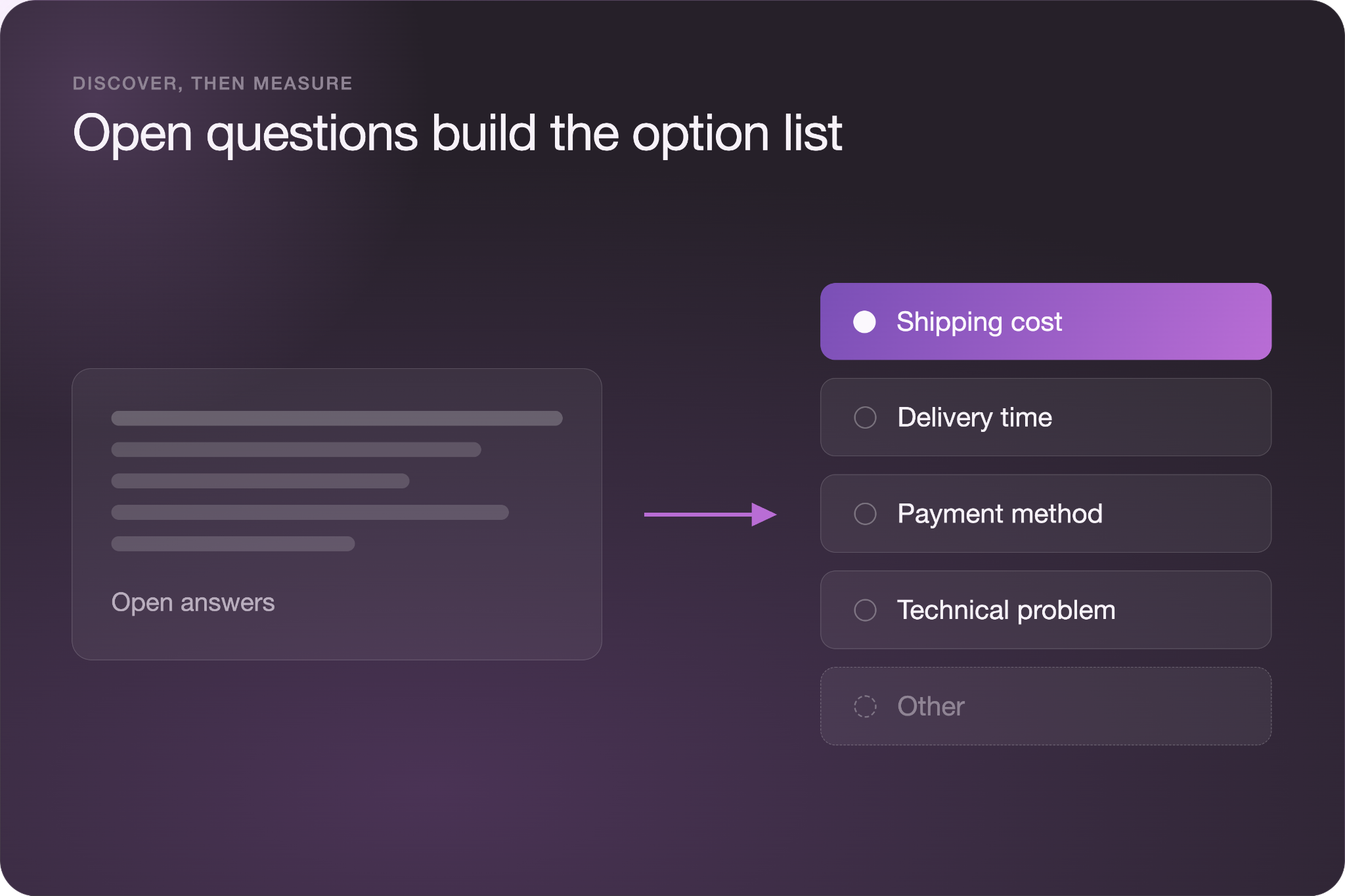
Open-text questions are often more useful during early discovery or when diagnosing an unfamiliar problem. For example, asking customers why they abandoned a purchase may reveal unknown problems to your team. Turning that question into a multiple-choice question too early could hide those responses.
One approach is to start with an open-ended question for a small group. Review the responses for common themes, then use those findings to create realistic answer options for a larger multiple-choice survey.
Frequently Asked Questions
How many answer options should a multiple-choice question have?
There is no specific number of answer options for every multiple-choice question. Include enough choices to cover the realistic responses without making the list unnecessarily long. If the complete list is difficult to scan, consider a dropdown or another question format that better fits the available answers.
Should I include an “Other” option?
Include an “Other” option when respondents may have a valid answer that your list does not cover. “Other” can prevent people from choosing an inaccurate response simply because nothing fits. You may not need it when the answer choices already cover every possible response, such as a simple yes-or-no question.
What’s the difference between single-select and multi-select?
Single-select questions allow respondents to choose one answer, while multi-select questions allow them to choose several. Use single-select when only one response can or should apply. Use multi-select when several choices can accurately describe the respondent’s behavior, preferences, or experience.
Are Likert scales multiple choice?
Yes, Likert scales are a structured form of multiple choice because respondents select from predefined response options. Unlike an unordered multiple-choice list, Likert scale options follow a specific order. For example, a scale might range from “Strongly disagree” to “Strongly agree” to measure a respondent’s level of agreement.