Online questionnaire tool: build forms people enjoy
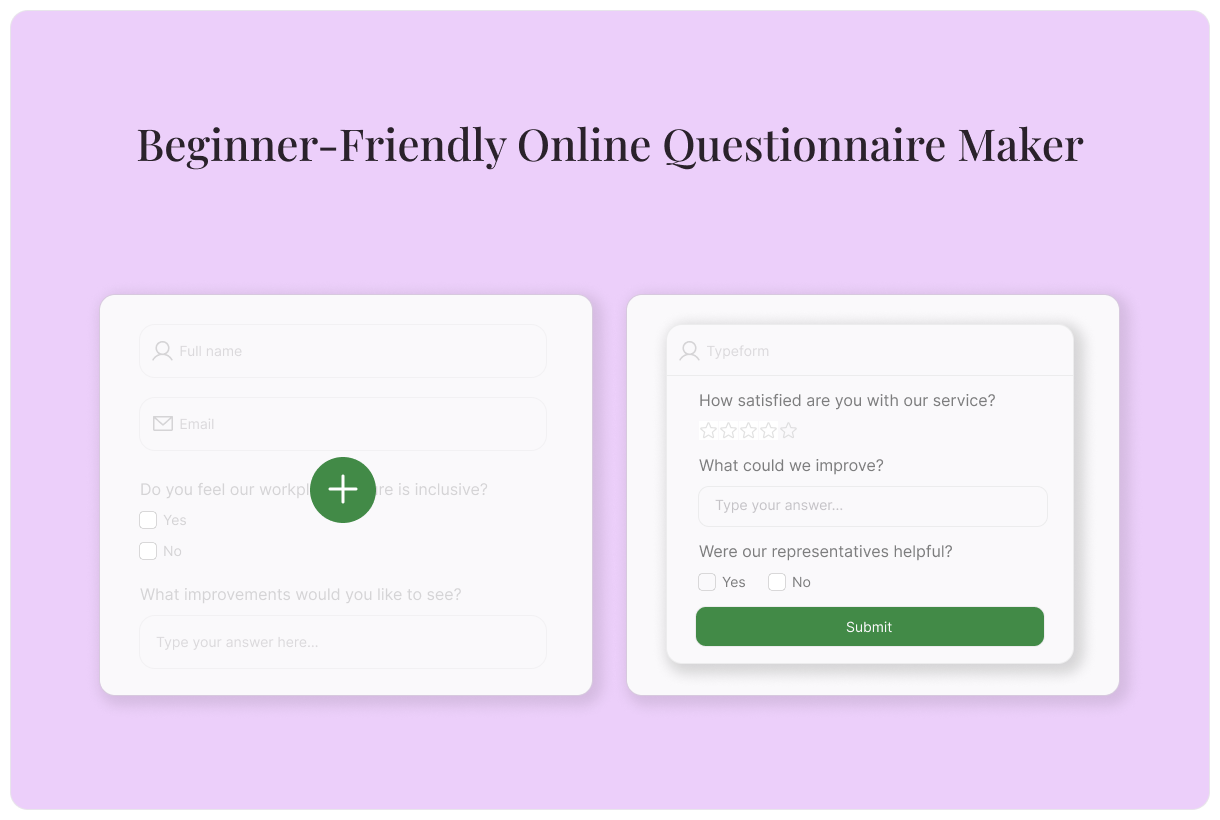
Building your first questionnaire doesn’t have to be a challenge. Discover our beginner-friendly online questionnaire maker today.
Share
Latest posts on
Free online trivia maker: custom trivia quizzes in minutes
|
September 4, 2026
Read more
AI survey builder: create smart surveys in minutes
|
September 4, 2026
Read more
How to make a test online: tips and tricks
Typeform
|
September 4, 2026
Read more
How to build a landing page that converts
Typeform
|
September 4, 2026
Read more
Share
Need to conduct marketing research, collect information about new clients, or screen job applicants? A questionnaire can help you do so efficiently and strategically.
Questionnaires use standardized questions to understand a group of people, whether that’s prospective customers, new patients, or job candidates. Instead of piecing together information from scattered locations, you get consistent data all in one place. Collect, organize, and analyze responses to identify needs, refine your service offering, or guide your research.
Learn everything you need to know about questionnaires and discover how to use Typeform’s online questionnaire maker. We’ve also included links to tons of free templates to help get you started!
What is a Questionnaire?
Questionnaires are research tools that are used to collect information from people. Using a questionnaire, researchers can:
Send a list of questions to a sampling of people within a group
Aggregate their answers
Look for trends or commonalities to better understand the larger group
Use those learnings to inform future projects, messaging, or other efforts
Types of Questions in Questionnaires
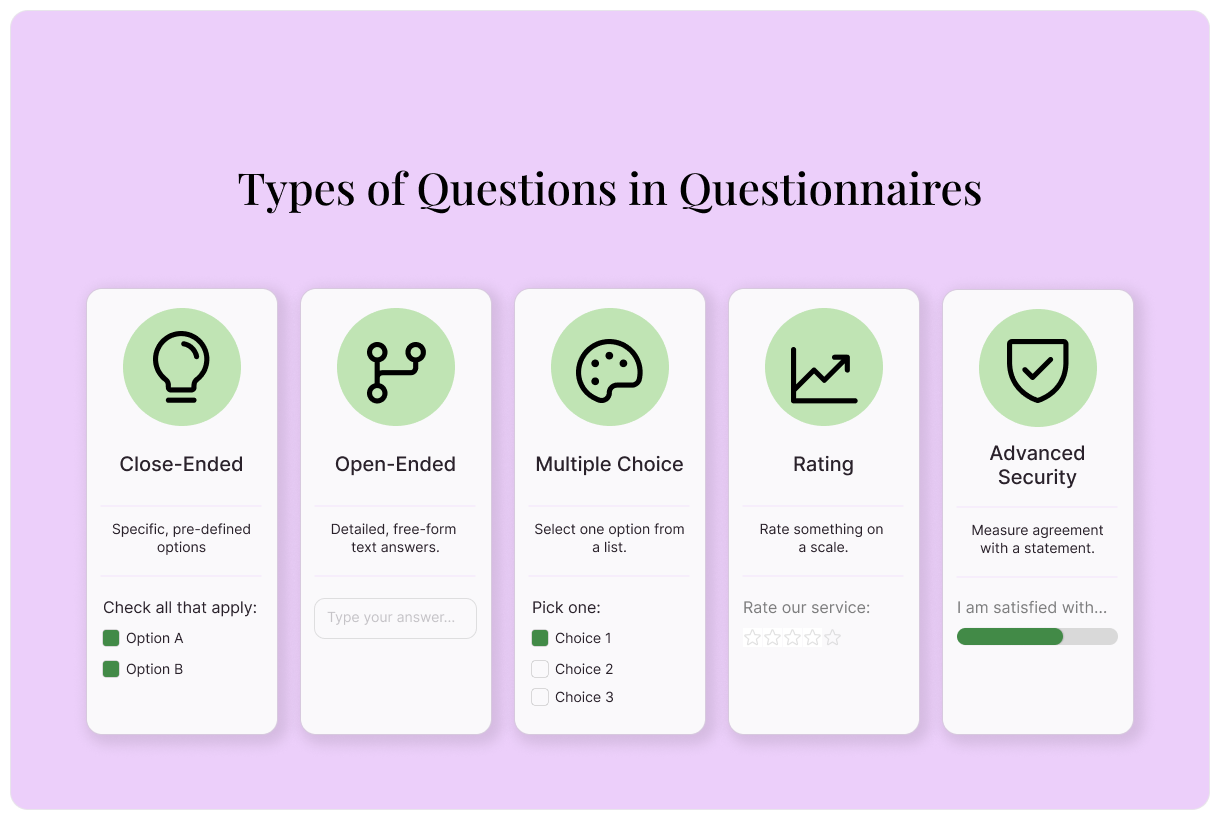
By using a number of different question types in your questionnaires, you can keep respondents engaged and collect comprehensive information. Common types of questionnaire questions include:
Close-ended questions: Close-ended questions are used to collect specific, easily measurable information. They’re answered in a word or two and are easily categorized.
Open-ended questions: Open-ended questions are the opposite. They leave room for detailed descriptions and explanations, but are harder to categorize. It’s best to limit the number of open-ended questions in your questionnaire.
Multiple-choice questions: Every student is familiar with multiple choice questions. They ask a question, then provide a list of answers that the respondent can choose from. Multiple-choice questions are always close-ended.
Rating questions: Rating questions are answered on a scale. They ask the respondent to evaluate using a number. For example, a rating question on a questionnaire may ask to rate the service provided out of 5 stars.
Likert scale questions: Like rating questions, Likert scale questions are also answered on a scale, but speak to feelings rather than numbers. A typical Likert scale question asks how much a respondent agrees with a statement, from strongly disagree to strongly agree.
Questionnaire Uses + Free Online Questionnaire Maker Templates for Each
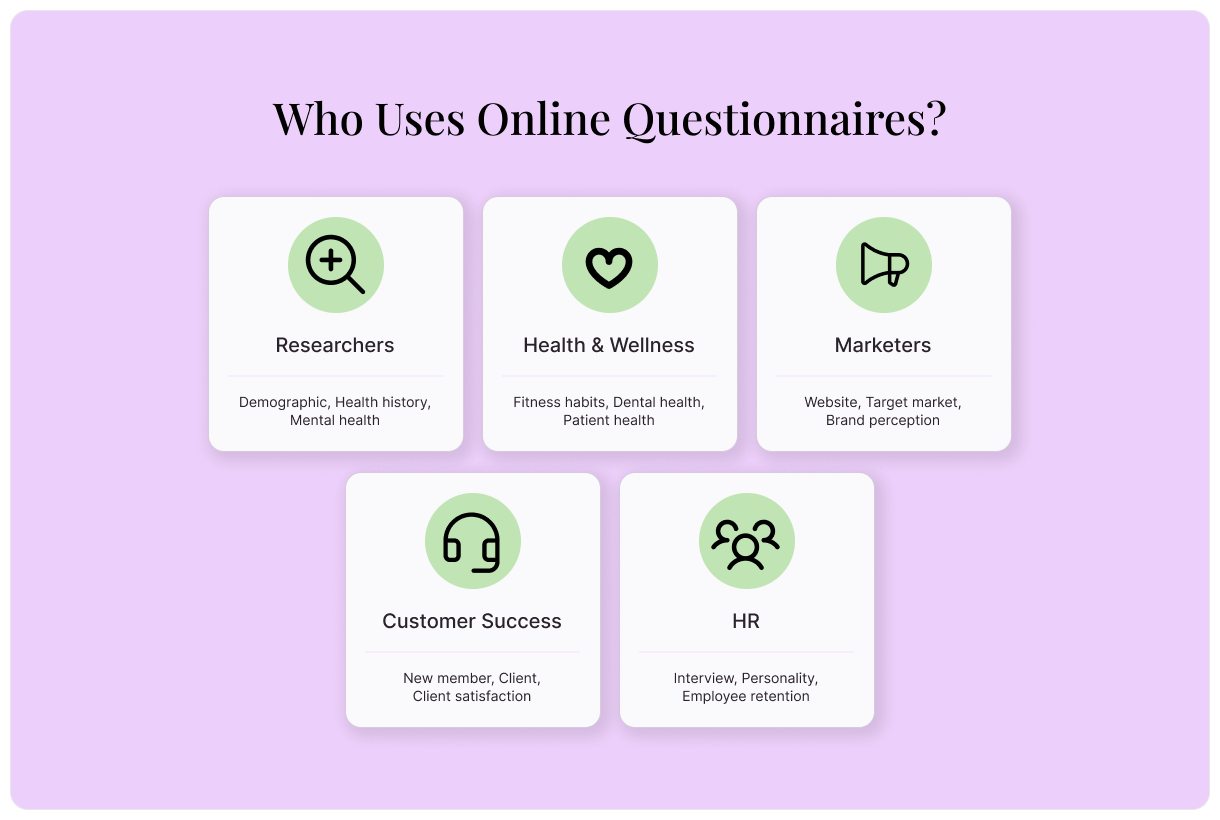
Questionnaires are one of the most useful tools available for collecting information about and understanding a group of people. Whether you’re in marketing, research, healthcare, or any other industry, you can capture valuable information about your client base using a questionnaire.
Researchers
Questionnaires are common tools in academic and scientific research. In order to conduct a survey about a population, pass out questionnaires to a random sampling of people. The learnings you gather can be applied to the total population. It’s a fast and inexpensive way to test hypotheses, determine public opinion, and understand behaviors
Demographic survey questionnaire: Learn more about your population by conducting a demographic survey. Ask about age, gender, household income, and education level, or modify this free online questionnaire maker template to ask another question that’s relevant to your study.
Health and Wellness Professionals
When providing health and wellness services, you need to know the facts about your patients. A questionnaire can help you achieve just that. It creates a single place for information about patients’ health history, medications, insurance, and other information.
When you conduct health and wellness questionnaires with Typeform, your reporting dashboard makes it easy to spot trends in patients’ answers. Use this information to refine your service offerings.
Fitness health history questionnaire: Personal trainers can use this online questionnaire maker template to get a baseline understanding of new clients’ fitness habits and goals.
Dental health history questionnaire: Use this questionnaire to learn about your patient’s dental health history. Then, integrate it with Google Docs or Office 365 to automatically create patient files for every response that comes in.
Patient health history questionnaire: Ditch the clipboard of forms and provide new patients with this online health history questionnaire, instead. They can complete it from anywhere, so their answers will be more accurate and thorough.
Mental health history questionnaire: Give new therapy patients the time and space to fill out their mental health history before their first appointment. Having documented data on-hand will inform better treatment plans.
Marketers
As a marketer, the better you understand your audience, the more successful you can be. With a questionnaire, you can get a deeper understanding of customers’ behaviors, desires, and challenges. That way, you can stop making educated guesses about what your audience wants and start making data-driven decisions. Use these templates to get started with Typeform’s online questionnaire maker:
Website questionnaire: Learn about how your audience engages with your website, what they feel is missing, and how it could better meet their needs.
Target market questionnaire: Unlock quantitative demographic information about your target audience to improve audience segmentation.
Brand perception questionnaire: Want to improve your brand perception? The first step is finding out what your customers think.
Customer retention questionnaire: Why do your most loyal customers keep coming back? This questionnaire template can help you understand what’s working and how to replicate it.
Customer success story questionnaire: Turn your most loyal customers into marketing assets using this customer success story questionnaire template.
Customer Success Teams
For many customer success teams, the first sign a customer is unhappy is when they leave. Questionnaires help customer success teams proactively understand how customers are feeling, before it’s too late. These templates can help you get a baseline understanding of customer satisfaction:
New member questionnaire: Signed a brand new member? Learn how to make their experience a positive one. This questionnaire will help you understand their needs and what they’re looking for.
Client questionnaire: Get a clear picture of your new clients with this questionnaire. Gather information about their company size, goals, and more.
Client satisfaction questionnaire: The easiest way to find out if your clients are happy is to simply ask! Use this questionnaire template to do so.
For Human Resources
Questionnaires create a direct line of communication between employees and human resources teams. An anonymous questionnaire is an ideal tool for gathering honest feedback. Use them to boost employee satisfaction, reduce turnover, and assist with hiring.
Employee retention questionnaire: Gain a deeper understanding about each employee’s satisfaction level, as well as ideas to improve it.
Online interview questionnaire: Pre-screen talent before conducting an in-person interview. This questionnaire template helps you learn more about the candidate in their own words.
Personality questionnaire: Learn more about a candidate’s personality to more thoroughly evaluate whether they’re a good fit.
How to Build a Questionnaire with Typeform
Build a Questionnaire With Typeform AI
Use our AI-powered online questionnaire maker to make your life even easier. Create insightful questionnaires that unlock deeper insights in just a few clicks.
Log into Typeform and select “Create a new form”
Write a few sentences about the type of questionnaire you’d like to create.
Typeform AI’s online questionnaire maker will guide you through a series of questions and build a questionnaire according to your answers. Once you’re satisfied with your questionnaire, select “Apply”
Edit questions, outcomes, branching, and more, or ask Typeform AI to make modifications for you.
Edit your questionnaire’s appearance using the “Design” feature. Choose from your Brand Kit themes or select a theme from the Gallery.
Integrate your questionnaire with your other tech tools in the “Connect” panel on the top. Find your desired tool, then select “Connect” and follow the prompts.
Once you’re happy with your questionnaire, select “Share” to make it live!
Build a Questionnaire From a Template
Typeform’s free templates provide an excellent jumping-off point for your next questionnaire. Use the template questions as they are, modify them, or add your own to create a questionnaire that achieves all your goals.
Find a template that meets your needs, then select “Use this Template”
In the Content panel, customize the template. Select questions from the list on the left, then edit as needed.
Review the questionnaire ending on the left. This is the screen your respondent will see when the survey is complete.
Edit your questionnaire’s appearance using the “Design” feature. Choose from your Brand Kit themes or select a theme from the Gallery.
If you’d like to add custom logic to personalize your questionnaire flow, you can do so by selecting “Branching” on the bottom left, or in the “Workflow” panel on the top.
Integrate your questionnaire with your other tech tools in the “Connect” panel on the top. Find your desired tool, then select “Connect” and follow the prompts.
Once you’re happy with your questionnaire, select “Share” to make it live!
Build a Questionnaire From Scratch
Even creating a fully custom questionnaire with Typeform is a cinch. Follow these simple steps to build a questionnaire from scratch.
Log into Typeform and select “Create a new form”
Select “Start from scratch”
To add your first questionnaire question, select a question type, then fill out the question and answers.
To add the next element, select “+Add content”
In the “Endings” panel on the left, create the end screen respondents will see when they finish the questionnaire.
Edit your questionnaire’s appearance using the “Design” feature. Choose from your Brand Kit themes or select a theme from the Gallery.
If you’d like to add custom logic to personalize your questionnaire flow, you can do so by selecting “Branching” on the bottom left, or in the “Workflow” panel on the top.
Integrate your questionnaire with your other tech tools in the “Connect” panel on the top. Find your desired tool, then select “Connect” and follow the prompts.
Once you’re happy with your questionnaire, select “Share” to make it live!
Tips and Tricks for More Effective Questionnaires
Invested time and effort into a questionnaire, only to collect just a handful of responses? There are few things more disappointing. Use these tips and tricks to get more responses to your questionnaires.
Ask easier questions first
Get more responses by asking the easiest questions first. When someone is met with a time-consuming question right off the bat, they’re unlikely to complete your questionnaire. Starting with simple questions makes your questionnaire feel like an easier lift.
Start with the basics like name, contact information, or address. As the questionnaire progresses, your questions can become increasingly complex. Leave your long-answer questions for last.
Ask one question at a time
When composing your questions, make sure they only ask one thing at a time. Questions that ask multiple things at once are considered “double-barreled” questions. They’re a big no-no in questionnaire-making.
Here’s an example. Say you’re sending out a questionnaire to recent event attendees. A double-barreled question would ask:
Rate your satisfaction with the venue and the music on a scale of 1-10.
Questions like these don’t translate into clear information. There’s no way of knowing whether a respondent was rating the venue, the music, or an average of the two.
Instead, break double-barreled questions into two different questions. Ask attendees to rate the venue first, then ask them to rate the music next.
Avoid leading questions
If you want to gather honest information, avoid asking leading questions. These are questions that bias respondents toward a specific answer. For example, a leading question about your recent event would be:
How amazing did you find our food?
The use of the word “amazing” tells the respondent the answer you’re expecting. If the goal of your survey is to honestly understand your attendees’ experiences, it’s important to ask questions in a neutral way. Revise your question to:
On a scale of disliked to loved, how did you feel about the food?
Use logic whenever possible
Generic questionnaires tend to have low response rates. When people are met with question after question that doesn’t apply to them, they’re unlikely to complete your questionnaire.
Fortunately, Typeform has an easy solution: logic. It personalizes every questionnaire to the person taking it. Logic will send people on different paths according to their answers. You’ll collect more responses and more accurate information.
Test your questionnaire before sending
Before sending out your questionnaire, it’s important to test it. Send it to colleagues or ask just a sampling of people from your audience to complete it. They can catch confusing phrasing, leading questions, and technical issues that may affect your results.
Ask your test group the following questions:
Were the questions clear?
Did any feel biased?
Were there any you wanted to skip?
Did you have any technical issues?
How long did it take to complete?
Keep iterating
Once your questionnaire is live, your work isn’t complete. Questionnaire design is an iterative process. Each iteration brings you closer to gathering more responses and collecting more useful information.
In your Typeform Reporting dashboard, it’s easy to see what’s working and what needs attention. identify common issues like incomplete responses or ambiguous answers. Then, use that information to make your questions clearer and streamline your questionnaire flow.
Build Professional Questionnaires with Typeform’s Beginner-Friendly Online Questionnaire Maker
Create questionnaires that deepen your learnings, improve your services, and support your growth goals with Typeform’s online questionnaire maker. There are so many ways to get started: use a free template as a jumping off point, create a fully-custom survey from scratch, or let Typeform AI do the hard work for you.
However you decide to build your questionnaire, you’ll get access to actionable insights Understand how respondents tend to answer questions, what their pain points are, and what they agree on. Then, use those insights to make more informed business decisions.
Free online trivia maker: custom trivia quizzes in minutes
Trivia is engaging. People love testing their knowledge, competing with friends, and proving they know random facts nobody asked them to memorize. That’s why trivia works as a learning tool, a marketing hook, an event activity, and just plain fun.
AI survey builder: create smart surveys in minutes
Creating effective survey questions is easier said than done. You need to ask the right things, in the right order, to the right people—and do it in a way that actually makes people want to answer. Most survey builders make this harder, not easier. You’re staring at a blank form, second-guessing every word, wondering if your logic flows or if you’ll get useful data back