Baby Shower RSVP Form
Stop chasing RSVPs through text threads and group chats. Collect guest confirmations, dietary needs, and activity preferences in one organized form.



Baby shower hosts who collect RSVPs through text messages and social media posts often lose track of who's confirmed, who has dietary restrictions, and how many guests to expect. Last-minute headcount changes and missed dietary needs create stress the week before the event. Typeform's baby shower RSVP form template gives hosts a simple way to collect everything they need from every guest in one place.
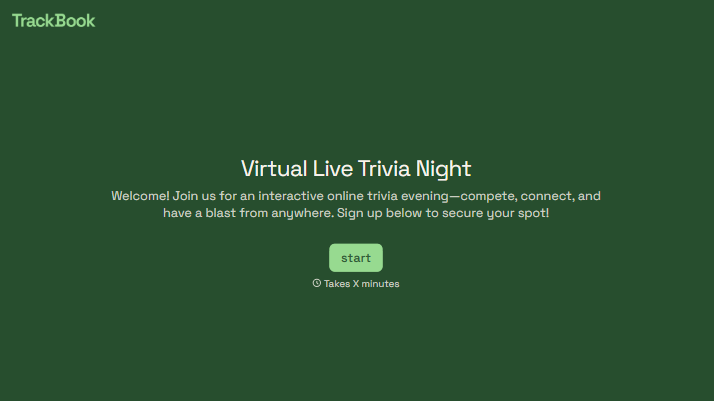
The form captures guest name, attendance confirmation, number of guests attending, dietary restrictions, and activity preferences. Questions appear one at a time, giving guests a friendly, conversational experience rather than a list of fields to fill in. Conditional logic adapts the form based on a guest's response. A guest confirming attendance answers questions about dietary needs and activity preferences; one who can't make it moves to a well-wishes section.
Customize the form to match the shower's theme, color palette, and personal details. Share it via email, WhatsApp, or a direct link included on the invitation. Every response feeds into Google Sheets automatically, so the host tracks RSVPs and dietary needs in one organized place without a single follow-up text. You walk into your baby shower event knowing exactly who's coming and what they need.
A baby shower RSVP form is a digital response card that guests complete to confirm their attendance and share any details the host needs to plan the event. It collects attendance confirmation, guest count, dietary restrictions, and activity preferences in one submission. This gives the host a clear headcount and full guest details before ordering food, not after.
A guest who arrives with an unannounced dietary restriction puts the host in an awkward position at the table. Extra guests who weren't counted create catering shortfalls that are hard to fix the day of the event. A baby shower RSVP form gives the host the details needed to plan food, seating, and activities with confidence.
Collect the details that help the host plan every part of the event:
- Guest name and attendance confirmation
- Number of guests attending
- Dietary restrictions or food allergies
- Game or activity participation preferences
- A message or well-wishes for the parents-to-be
Yes. Add Multiple Choice questions to let guests vote on games or activities before the event, so the host knows what to plan and how many participants to expect. Use a Typeform’s Ranking question to let guests order their favorite game options by preference; the results show which activities are most popular across the guest list. This saves the host from guessing on the day.
Include a direct link in the digital invitation, or add a QR code to printed invitations that guests scan on their phone. For smaller, more personal guest lists, share the link via WhatsApp or a group message. Every response arrives in your results dashboard as it's submitted, so you track RSVPs in real time without waiting until a deadline to count responses.
Get inspired by relevant templates and categories
3200+ Templates, 300+ Integrations

With Typeform, you can customize everything
Change text, colors, and even logos to match the look and feel of your brand. Then embed forms smoothly onto web and email.
Make forms feel effortless to fill out. Pace questions, call people by their name, and adapt the flow based on the data they share.
Stay efficient by connecting forms to your workflow. Typeform integrates with 300+ tools including Slack, Zapier, and HubSpot.


