Unmoderated Usability Testing: Benefits and Best Practices
When you start with the right toolkit, you will get richer results from unmoderated usability testing and deeper insight about your future users.
Key takeaways
- Unmoderated usability testing prioritizes natural user behavior: Participants finish tasks on their own without any guidance, which reveals how real users will navigate your product without moderate influence.
- Choose moderated or unmoderated testing based on your goals: Moderated sessions will uncover the “why” behind user behavior through follow-up questions, while unmoderated testing delivers faster and more affordable insights at a larger scale.
- Clear tasks produce better results: Having focused objectives and simple instructions are important for unmoderated studies, since participants can’t ask questions or receive clarification during the test.
- AI bridges the gap between depth and speed: Modern platforms like Research Flow expertly combine the efficiency of unmoderated testing with AI-generated follow-up questions and automated analysis to produce richer insights without the cost of live moderators.
- Usability testing should drive design decisions and not just validate them: The goal isn’t only to find bugs, but to understand where users succeed, where they struggle, and any improvements that will create a better experience overall.
From coding to backlink strategies to color schemes, a lot goes into designing apps and online spaces. When all the work is done, the most important challenge remains: user interaction. Usability testing is the best way to find out how real people interact with your online designs and identify any problem areas.
How quickly you get the results and how much data you receive depends on the usability testing approach you choose. That starts with deciding between moderated and unmoderated usability testing approaches.
Why user testing matters and what it can tell you
Usability testing is also called user testing because it’s done by actual users. It gives you clear information about how users will use your product, like what they manage to do easily and what they find challenging.
Instead of testing on programmers or developers or employees, you gather a group of real people to perform real-world tasks using your design. Seeing how easy (or not so easy) it is for them to complete those tasks provides valuable information about the usability of your design.
It can show you what you may need to change, what’s working and how real people are going to use your finished product.
- Is the product easy to use?
- How do real people interact with the product?
- Does the product do what it's supposed to do?
Usability testing answers a lot of questions. But you do have decisions to make. There are different types of usability testing. You have options within the types of testing methods you can choose, including moderated and unmoderated usability testing techniques.
What is unmoderated usability testing and how is it different?
Unmoderated usability methods allow users to test products on their own, without anyone else present to provide guidance. They perform tasks in their own way, with only basic instructions to tell them how to proceed.
Testing how the product works is the "usability" part. The "unmoderated" part means there is no moderator, no one who is driving the experiment or telling people how to test the product. Users work from a set of instructions they are given in advance.
Through unmoderated usability testing, the participating users interact with the product and perform their own testing, guiding themselves through the process. The goal is to complete a series of tasks using the products. How they complete those tasks is up to them.
With standard unmoderated testing methods, participants do not have the ability to ask questions or receive further instruction. The data you receive from this testing is very pure because it was not influenced by anyone. The results you get provide real examples of the users who will be (hopefully) buying your product in the future.
The differences between moderated and unmoderated user testing methods
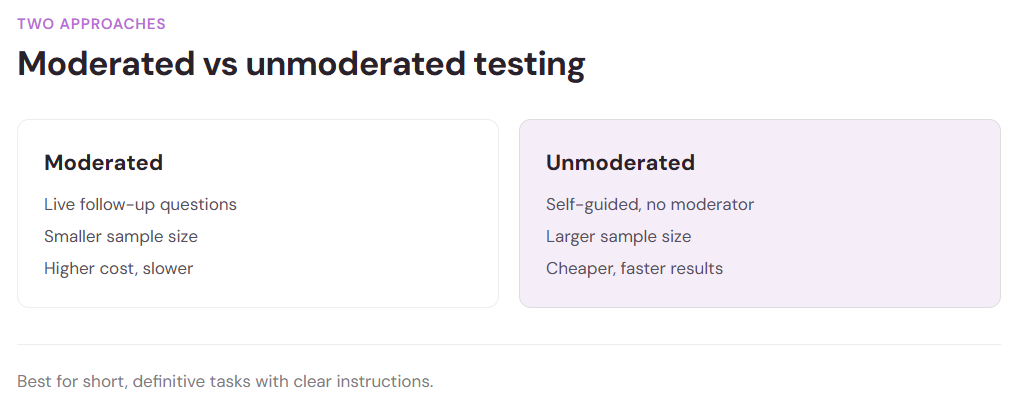
Moderated testing does allow for more follow-up than unmoderated methods, which are fully self-guided. When a moderator is present, they can directly ask questions and get deeper insight into how users interact with products and what their impressions of the product are.
Extra data is good to have most of the time, but it means there’s more information to process. Answers may also not provide as much actionable insight when you use moderated testing methods, which encourage users to provide more personal details about their experiences.
There are some clear benefits of using unmoderated usability testing methods over moderated testing techniques:
- Unmoderated testing is cheaper than moderated user tests
- Results may be more genuine, since no one is present with users
- You can work with a larger sample size, which provides more data overall
Because there is more interaction with users, moderated testing provides different data than unmoderated methods. You get a lot more information about the thoughts of the participants, such as comparisons to your products and similar products already on the market.
Unmoderated testing can provide clear answers about specific product features, such as navigation and on-page interaction. You get direct insights into the usability of the product through unmoderated user tests. However, you may not always get the extra details about how users feel about the product and which aspects of it they enjoy.
How to use unmoderated testing effectively
Unmoderated usability testing is ideal for short, definitive testing tasks. Users may be asked to sign up to a website, build an online profile, perform a specific action in an app. When clear, simple instructions and straightforward tasks are needed, this type of testing provides lots of valuable insight into how real people interact with real products.
Because there is no user guidance provided with unmoderated testing, the tests must be clear and simple.
- Instructions must be easy to understand and follow
- Tasks must be straightforward and require little effort to perform
- The product and how it is used must be self-explanatory or familiar
For unmoderated user tests to provide clear results that you can analyze, you need effective testing methods.
The 5 basic steps of unmoderated usability testing
Follow an action plan to use unmoderated usability testing to get clear data about your product and how well it interacts with real users. Knowing what you want to get out of the test, how to conduct the test and how to analyze the data are all critical elements of effective usability testing.
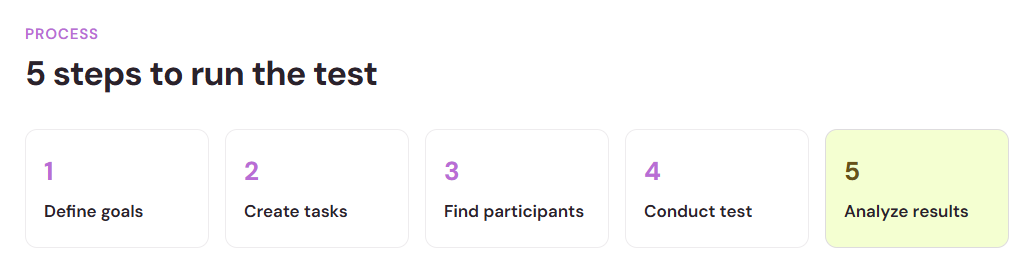
- Define your goals for the test. What information do you want to learn from testing?
- Create tasks and descriptions. Which aspects of the design do you want users to test?
- Find participants. Once you know what you’re testing, you need people to test.
- Conduct the test. When the other pieces are in place, it’s time to put the testing into action.
- Analyze the results. Data is no good until you can break it down and understand what it means.
How to streamline usability testing methods and data analysis
Designing a test, finding people to perform the test and studying the data you receive from the test can be a lengthy process. It may take weeks to go from finished design to actual user data, weeks that get added to your overall product rollout timeline.
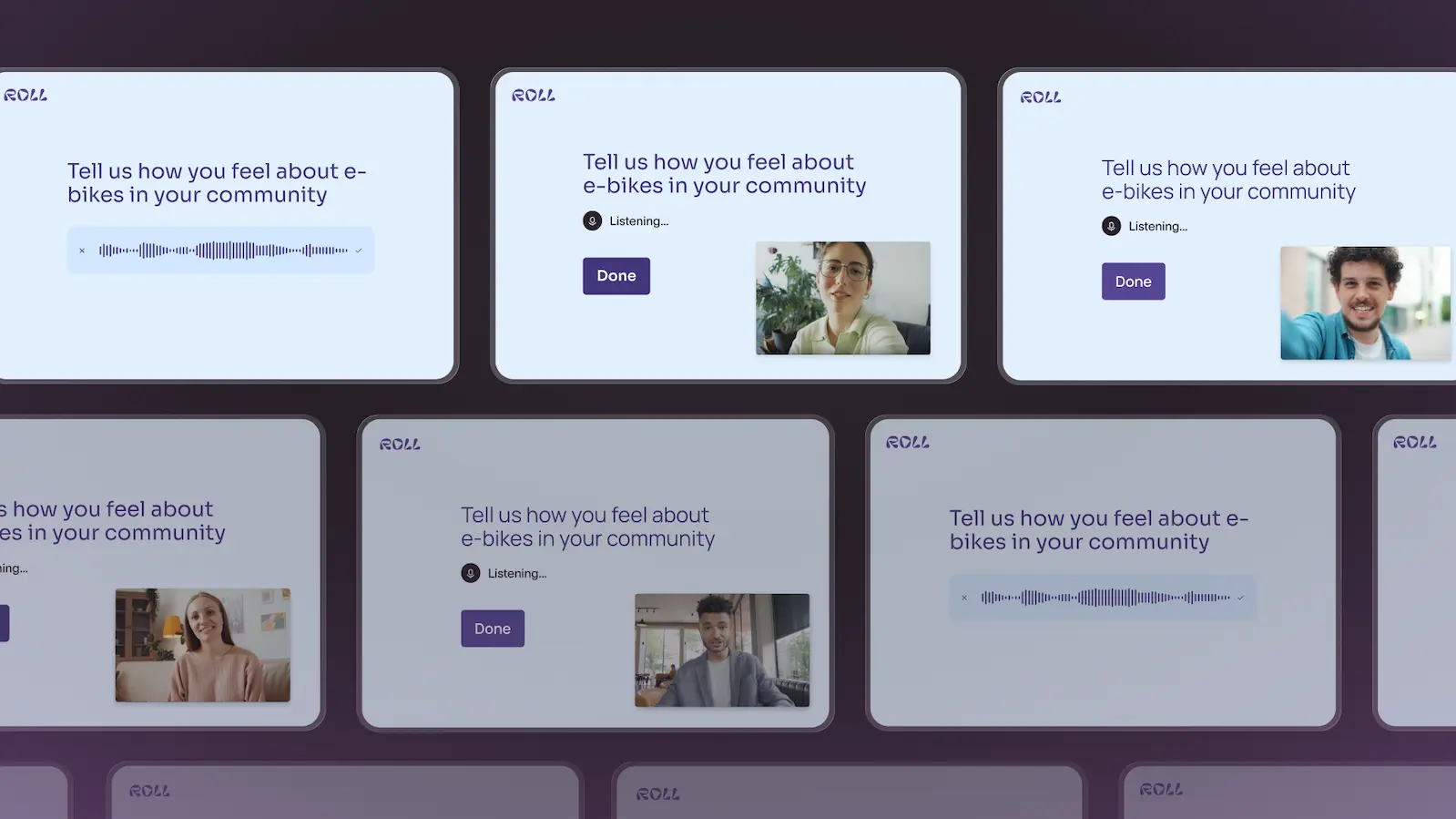
Streamline your unmoderated usability testing methods and data analysis with programs like Research Flow. It shortens the testing process without costing you data.
Senior Product Marketing Manager at Typeform, Nina Kamaruddin, explained that Research Flow allows you to:
“Leverage AI for every stage of the research lifecycle, from the initial study design and recruitment to AI-led interview moderation and insight generation.”
Research Flow recruits testing participants, conducts follow-up interviews using AI and analyzes the test findings, cutting workloads by half or more. It will also cut the timeline down, getting you through the testing and analysis phase much more quickly. The sooner the testing is done, the sooner you get to the product rollout phase.
- Design your research
- Recruit verified participants
- Run AI moderated interviews
- Organize and compile the results
- Use data-driven insights to create action
Using a program like this, you get more in-depth results than other unmoderated usability testing methods. That means you get more data.
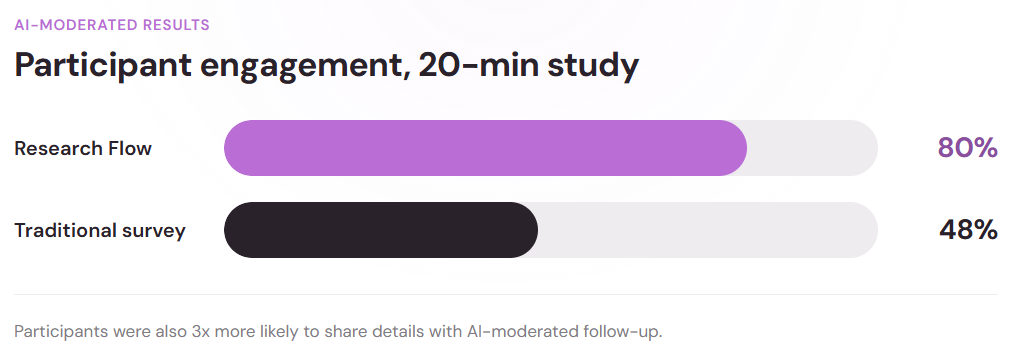
Those who have used Research Flow have found they get more words per question, much richer answers that provide deeper insights. In Typeform's own testing, participants using Research Flow gave longer answers per question and shared details and extra information three times as often as those tested through traditional methods.
The same study measured attention: 80% of participants stayed fully engaged through a 20-minute Research Flow session, while a traditional survey held only 48%. Higher engagement produces more accurate results, and accurate results give you something you can act on.
How to get more data to analyze without the cost of moderated testing
Research Flow provides an extra level of data and user insight that is typically only available through moderated testing techniques. Moderated usability testing has a lot of moving parts. You need moderators, test subjects, follow-up questions and a way to analyze and break down the data you get. It can be costly and time-consuming.
AI provides a level of interaction that’s not available with traditional unmoderated usability testing. The Research Flow AI interacts with users, asking specific questions to gain lots more data. Users may include information about how they feel about the product, what they enjoyed or what they found difficult. You get more data without the extra expenses and time associated with moderated testing methods.
Choose the right testing program to get real data
Planning and executing testing techniques only works as well as the program you use to perform the tests and analyze the results. Choose the right testing program, so testing will be a straightforward and streamlined process and data can be easily analyzed and understood.
Usability testing is an essential step before rolling out any new product or redesign. Knowing how well users can perform tasks is extremely important. The data you collect will inform future design decisions. It’s crucial to work with a program like Research Flow that makes the process easy and allows you to quickly collect and analyze the data you need to have.
When you have the right tools, you have the ability to create a completely user-friendly design that your future customers will enjoy spending time using. Starting with good unmoderated usability testing can end with a highly successful, user-friendly and enjoyable design.