Creating a survey doesn’t need to be complicated. Discover how Typeform’s free survey maker can help you create a powerful survey in minutes.
Share
Latest posts on
Free online trivia maker: custom trivia quizzes in minutes
|
September 4, 2026
Read more
AI survey builder: create smart surveys in minutes
|
September 4, 2026
Read more
How to make a test online: tips and tricks
Typeform
|
September 4, 2026
Read more
How to build a landing page that converts
Typeform
|
September 4, 2026
Read more
Share
Creating a survey doesn’t have to be complicated. Free survey makers help you launch one in minutes. There’s no need to write code or build custom logic. Instead, you can focus on asking the right questions and getting clear, useful responses.
Learn more about free survey makers in this guide: what they are, who can use them, and how to get the best results.
What is a survey (and why should you build one)?
A survey is a list of questions that helps you learn more about a group of people. When you conduct a survey, you can stop guessing what your audience needs and start making informed decisions. Use a survey to learn about your audience’s challenges, goals, behavior, and more. Then, use that information to refine product development, evaluate your programs, or guide research.
Quantitative vs. qualitative surveys
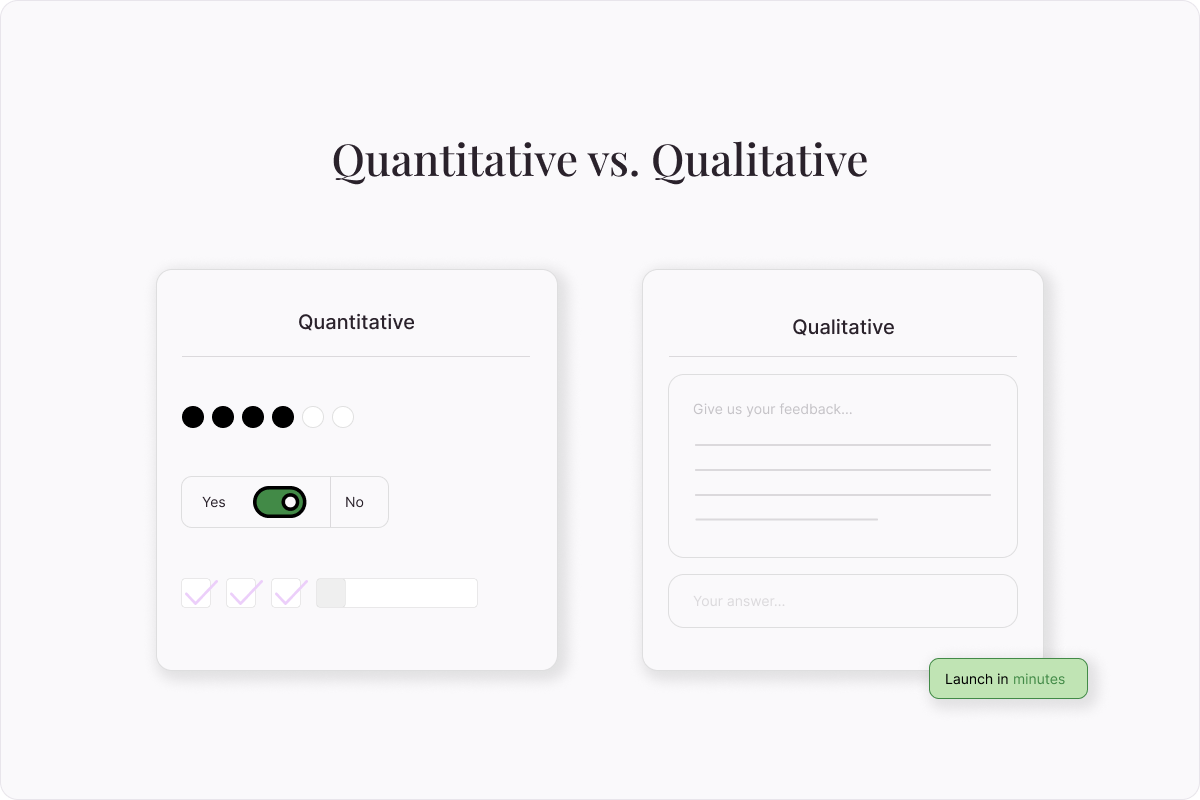
There are two types of survey questions: quantitative and qualitative. Both are important in creating a comprehensive survey.
Quantitative survey questions collect close-ended information. They include yes/no questions, rating scales, and checkboxes, and ask questions like how many, how often, or how much. Quantitative data is easy to quickly interpret into learnings that can be applied to your entire audience.
Qualitative survey questions are open ended. They’re answered in sentences, rather than by selecting an answer or checking a box. While it’s harder to compile and categorize qualitative information, these questions are an invaluable resource for understanding your audience’s thoughts and motivations.
Who can benefit from a free survey maker?
Surveys benefit teams across marketing, product developers, educators, and other professionals. Read on to learn how to use surveys in your role.
Marketers
Surveys help marketers through every stage of the customer journey. Using a free survey maker, marketers can:
Learn their audience’s challenges
Improve audience segmentation
Match customers with the best products
Product developers
Surveys help product developers create products that better meet customers’ needs. They can:
Understand the problems their products need to solve
Identify gaps in their product offering
Anticipate how their audience will respond to new features
Educators
Educators can use surveys to improve their coursework and their students’ experiences. They can create surveys for these key tasks throughout the school year:
Measure students’ knowledge level at the beginning of the year
Tailor their courses according to students’ interests
Determine how well students are grasping their course material
Gather feedback about their class and teaching style
HR professionals
Surveys help HR teams boost employee satisfaction and reduce turnover. Using a free survey maker, they can:
Measure employee satisfaction with leadership and colleagues
Improve training processes
Identify and address recurring problems
Researchers
Social scientists, market researchers, public health professionals, and academic researchers use surveys to better understand large populations. They can:
Measure attitudes and opinions
Understand consumer preferences and behaviors
Learn more about public health trends
Salespeople
Salespeople use free survey makers to improve the sales process. They use the findings from surveys to:
Understand their prospective customers’ challenges or pain points
Modify their sales materials to speak directly to those pain points.
Nonprofits
Nonprofits rely on surveys to improve their services. With the help of a survey, nonprofits can:
Measure program success
Align services with their communities’ needs
Identify gaps in program offerings and areas for improvement
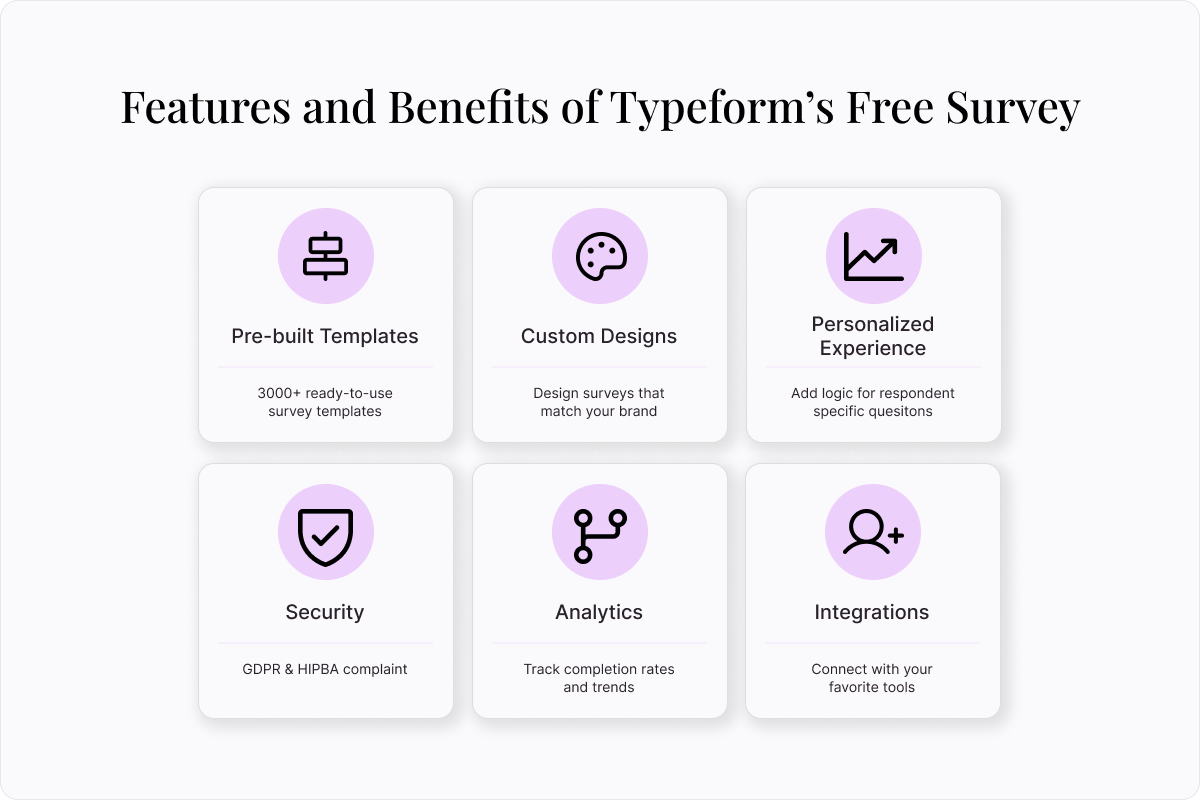
Features and benefits of Typeform’s free survey maker
Typeform’s free survey maker creates interactive surveys that get the data you need. Discover key features like pre-built templates, custom design tools, and advanced analytics.
Pre-built templates
Choose from more than 3,000 customizable survey templates to help you get started quickly. Whether you’re seeking event feedback, conducting market research, or surveying competitors, there’s a ready-to-use template for your needs. Choose one, customize it, then launch your survey in minutes.
Custom design tools
Typeform’s custom design tools to make it easy to design and brand your survey. Create a Brand Kit with your logo, color palette, and media. We’ll use it to create a custom theme that’s perfectly on-brand. Apply it to your survey in a single click.
Personalized survey experience
Irrelevant questions waste people’s time and muddy your data. Instead of creating a set list of questions, use logic to personalize your surveys to each person. Typeform offers question branching to send each person on a unique path according to their answers. You’ll boost completion rates and collect more useful information.
Ironclad security
We know your data is sensitive. That’s why we put data security first. Our free survey maker is GDPR and HIPAA-compliant. It meets leading global compliance standards for security management systems. We prioritize security at every level with robust encryption and secure authentication. That means you can collect sensitive information with confidence.
Advanced analytics
Surveys aren’t just about collecting data. What you do with that data matters, too. Our free survey maker has built-in analytics to help you quickly understand what’s working, what needs attention, and what to do next. Spot common drop-off points, see completion rates, and identify themes in how people answer.
Pre-build integrations
Easily integrate your surveys into your daily workflows with Typeform. We offer no-code integration with hundreds of tech tools, so you can connect to your most-used tools in just a few clicks. Streamline your processes, save time, and maximize your marketing efforts. Typeform integrates with tools like Zapier, Google Sheets, Slack, HubSpot, and Salesforce, to name a few.
How to make a free survey with Typeform
Survey creation has never been easier. Learn how to launch a new survey in minutes with the help of Typeform’s free survey maker.
How to make a survey from a pre-built template
There’s no need to re-invent the wheel. Build a powerful survey using one of our pre-built templates.
Find a template that meets your needs, then select “Use this Template”
In the Content panel, customize the template. Select questions from the list on the left, then edit as needed.
Review the survey ending on the left. This is the screen your respondent will see when the survey is complete.
Edit your survey’s appearance using the “Design” feature. Choose from your Brand Kit themes or select a theme from the Gallery.
If you’d like to add custom logic to personalize your survey flow, you can do so by selecting “Branching” on the bottom left, or in the “Workflow” panel on the top.
Integrate your survey with your other tech tools in the “Connect” panel on the top. Find your desired tool, then select “Connect” and follow the prompts.
Once you’re happy with your survey, select “Share” to make it live!
How to make a survey using AI
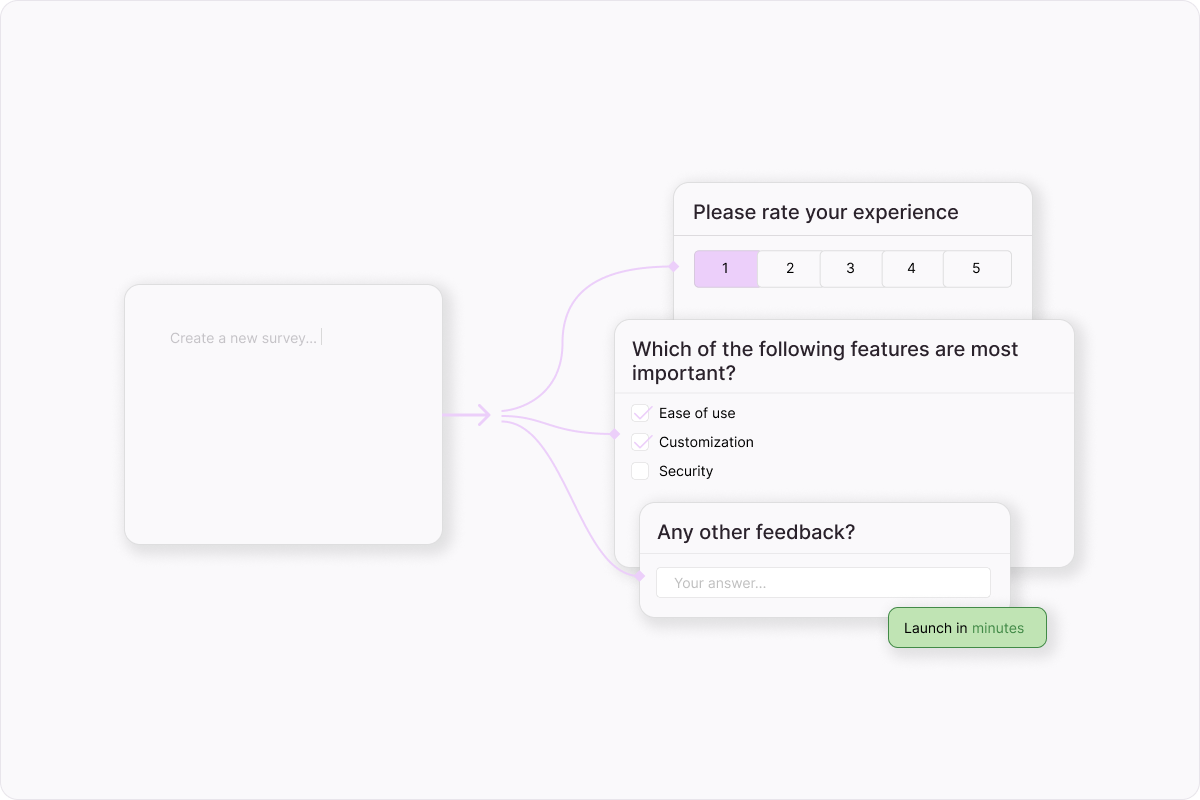
To make a survey in minutes, use Typeform AI. Describe what you’re looking for and Typeform AI will take care of the rest.
Log into Typeform and select “Create a new form”
Write a few sentences about the type of survey you’d like to create.
Typeform AI’s free survey maker will guide you through a series of questions and build a survey according to your answers. Once you’re satisfied with your survey, select “Apply”
Edit questions, outcomes, branching, and more, or ask Typeform AI to make modifications for you.
Once you’re happy with your survey, select “Share” to make it live!
How to build a survey from scratch
With Typeform’s free survey maker, even a fully custom survey is simple to make.
Log into Typeform and select “Create a new form”
Select “Start from scratch”
To add your first survey question, select a question type, then fill out the question and answers.
To add the next element, select “+Add content”
In the “Endings” panel on the left, create the end screen respondents will see when they finish the survey.
Edit your survey’s appearance using the “Design” feature. Choose from your Brand Kit themes or select a theme from the Gallery.
If you’d like to add custom logic to personalize your survey flow, you can do so by selecting “Branching” on the bottom left, or in the “Workflow” panel on the top.
Integrate your survey with your other tech tools in the “Connect” panel on the top. Find your desired tool, then select “Connect” and follow the prompts.
Once you’re happy with your survey, select “Share” to make it live!
How to get the most from your free survey maker (tips and tricks)
Remember quantitative and qualitative questions? Surveys are best when they include a mixture of the two. Quantitative questions cover who, what, and where. Qualitative questions speak to why and how. The best surveys cover both.
Match your brand voice and appearance
When it comes to branding, both your voice and look matter. Consistent branding boosts brand recognition, builds customer trust, and fosters loyalty. For the best experience, make sure your survey matches your marketing assets, product offerings, and more. The final result should look and sound just like you.
Don’t forget mobile-friendly design
Most online traffic comes from mobile devices, so it’s important to design with them in mind. When building your survey, don’t forget to check the way it appears on mobile. Are your questions legible in smaller font sizes? Is it easy to tell how to move through the survey? Give it a thorough review.
Start making powerful surveys with Typeform
Design stunning surveys that get results, without typing a single line of code. Typeform’s free survey maker has a drag-and-drop interface, hundreds of free templates, and pre-built integrations. Try the survey maker trusted by teams everywhere. Get started today.
About the author
We're Typeform - a team on a mission to transform data collection by bringing you refreshingly different forms.
Free online trivia maker: custom trivia quizzes in minutes
Trivia is engaging. People love testing their knowledge, competing with friends, and proving they know random facts nobody asked them to memorize. That’s why trivia works as a learning tool, a marketing hook, an event activity, and just plain fun.
AI survey builder: create smart surveys in minutes
Creating effective survey questions is easier said than done. You need to ask the right things, in the right order, to the right people—and do it in a way that actually makes people want to answer. Most survey builders make this harder, not easier. You’re staring at a blank form, second-guessing every word, wondering if your logic flows or if you’ll get useful data back